

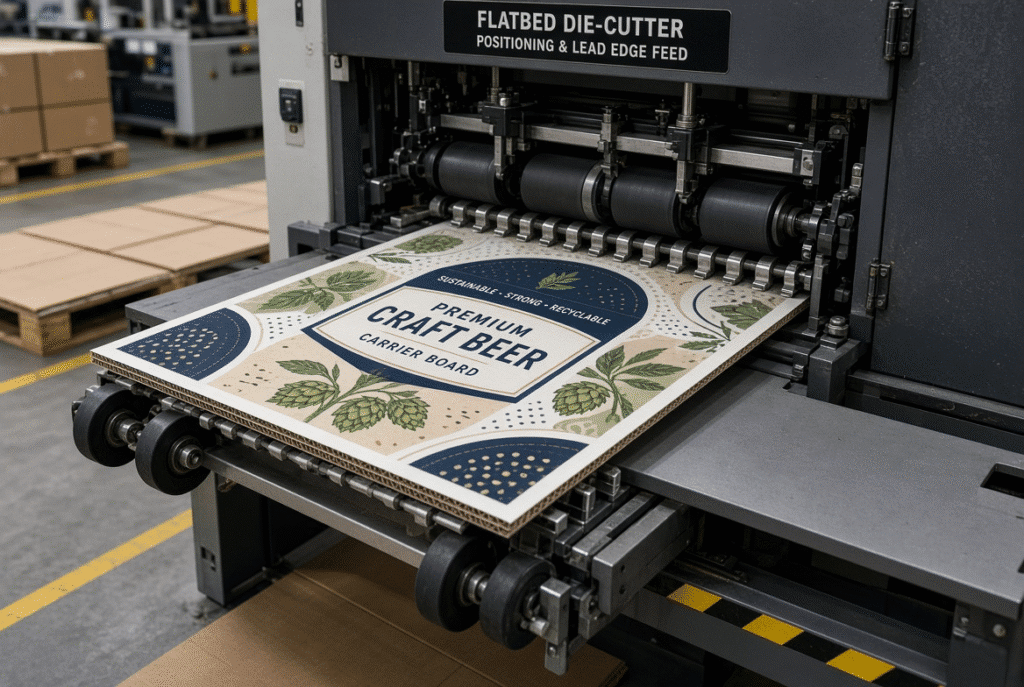
With printed corrugated board, controlled and limited contact is the key to pressure free feeding, and removing all contact points isn’t necessary. The feeder still needs to separate the sheet from the stack, push the sheet forward, align the edges, align the sheet against the gauges, and keep the sheet in sync with the die-cutting cycle. The actual objective is to minimize any unnecessary compression, friction, rubbing and localized force while maintaining the stability and accurate registration of the sheet.
Scratches, scuffs, gloss changes, and pressure marks are much easier to see on printed, coated, varnished or film-laminated surfaces than on plain board. These defects are especially noticeable with high coverage graphics and large solid color areas. A proper surface protection begins with a board inspection and extends to clean contact components, correct pressure, stable support, proper alignment and continuing checks throughout the path.
What Pressure-Free Feeding Means in Corrugated Board Processing
Generally speaking, the term pressure-free feeding refers to a feeder configuration that is designed to minimize excessive force and rubbing during normal feeding without sacrificing sheet transport and registration. Various feed wheels, brush wheels, belts, side guides, air assistance, suction and sheet support surfaces are combined in different ways in different machines. The goal is identical: to move the sheet with the minimum possible contact force but able to maintain the sheet’s straightness and on-time motion.
Controlled Contact Versus Contactless Feeding
If a sheet-fed die cutter is to be used, there will almost never be a point in the process where the corrugated sheets pass through without controlled contact. The actual packaging applications with full contactless transport are very uncommon. The important questions are what is in contact, how much force is applied, is the contact surface clean and undamaged, and is the sheet stable during the contact force? The term “pressure-free” is only useful if it is explicitly defined in the particular machine documentation.
Why Contact Pressure Must Be Balanced
Too little pressure can allow the sheet to slip, miss feeds, skew, or arrive late at the gauges. Too much pressure can leave repeated marks, compress the flutes locally, damage the printed face, or deform the lead edge. The correct setting depends on board thickness, surface finish, wheel material and condition, sheet flatness, and running speed. Operators adjust for the actual material in front of them rather than chasing a theoretical minimum force.
Pressure-Free Feeding and Registration
Controlled contact can minimize unwanted lateral rubbing and can help to bring the sheet in more consistently. However, board flatness, front and side gauge setup, feed timing, print consistency and die alignment still are required for registration. There is a relationship between surface protection and registration, but it is not controlled by one adjustment on the feeder.
Why Printed Corrugated Board Needs Surface Protection
The expectations for cartons in retail, display, premium boxes and promotional packs are high. A structurally sound sheet that has marks on the printed face may not be commercially viable. Because surface protection is an intrinsic component of process control for plants working litho-laminated, film-laminated, heavily varnished or solid-color pieces, they do not think of it as an add-on.
Common Surface Defects
Common defects are scratches, scuff marks, pressure lines, transfer of ink, changes in gloss, damage to coating, marks on the surface, contamination of the adhesive, repeated wheel marks, and rubbing of the surface that occurs only in the delivery stack. Marks that appear in a particular location and/or are repeated usually indicate the responsible portion. If a line is situated at the same distance from the lead edge on each sheet, it is likely that the contact point is fixed (e.g. wheel or guide).
Printed, Coated, Varnished and Laminated Surfaces
Ink can be transferred onto uncoated printed board or dust can be absorbed into the board. Opaque or coated surfaces can be more susceptible to pressure marks and changes in the amount of light that becomes specular and may affect optical sensors. Film-laminated board easily scratches, wrinkles and lifts at the edges. Litho-laminated corrugated board brings face-sheet movement against corrugated base sheet concerns. There is no one finish that is always easiest to feed; only the real production conditions with the printed and coated material show that.
Surface Appearance and Packaging Acceptance
If the pack is scuffed or marked, even if the die-cut and creased structure is correct, then the customer would reject it. Damage is visible and will cost you in the loss of shelf value, sorting and reworking and potentially halt a job. Surface quality is thus as much a commercial need as a technical one.
Where Surface Damage Can Occur Before Die Cutting
The feeder is not the only place that can suffer surface damage. There are several contact, rubbing or sudden impact points along the entire sheet path from the pile to the delivery point.
Sheet Pile and Separation Area
When handling or separating sheets they can rub together. Risks include dust, paper fibers, adhesive residue, damaged edges, static and too much pile pressure. Having a clean, aligned and consistent stack makes the likelihood of hitting a face, if it hit once at the beginning, less likely.
Feed Wheels and Brush Wheels
Wheel material, wear, contamination, alignment, contact pressure, and contact location determine whether a mark appears. A single worn or dirty wheel can leave the same impression on every sheet. Brush wheels that are set too low or are contaminated can also disturb the surface. Regular inspection of wheel condition is therefore essential.
Guides and Support Surfaces
A mark will appear depending on the type of wheel (and its wear), contamination, alignment, contact pressure, and contact location. When just one wheel is worn or dirty, it can make the same marks on all the sheets. Low set brush wheels or contaminated brush wheels may also cause disturbances. Therefore, it is crucial to consider the regular inspection of the wheel condition.
Die-Cutting Handover and Delivery
Rubbing or sudden drops can be caused by rough guide edges, contaminated belts, too much side pressure, sheet skew, gaps in support or lack of central support. If a large sheet lifts up in the middle, and then drops back onto a wheel or guide, it will create a mark that can be hard to diagnose, unless you are familiar with the path.
How to Set Feed Wheels for Printed Corrugated Board
A clean sheet can be ruined by transfer points, gripper or transport components, delivery belts, side joggers, drop height, air blowers, or the loss of an air cushion or contact of the sheet with other sheets in the stack. Late appearing marks often occur on deliveries as a result of delivery rubbing.
Check Wheel Material and Condition
Start at the manufacturer’s suggested setting. Find a short trial run, examine the face and lead edge, and look for any signs of slip or skew; make a single adjustment at a time. The correct pressure is the minimum amount of pressure needed to consistently make it to the gauges for that board and speed.
Adjust Contact Pressure Gradually
Check for wear, cracks, flat spots, hardened spots, contamination, uneven contact, loose mounting, and improper height. Surface marks and feeding instability are caused by worn/dirty wheels. Before adjusting pressure, replace or clean them.
Balance Contact Across the Sheet
If the pressure on the operator side is different to the drive side, it may cause the sheet to bend or marks on one side of the sheet. Rise pressure throughout the entire feeder, after checking wheel alignment, support height, sheet flatness, and local wear.
Consider Contact Location
Location of wheels and guides on sheet is dictated by job layout and machine design. Use of highly sensitive graphics is avoided wherever possible but at no expense to reliable sheet control. Never adjust parts out of the specified machine tolerances.
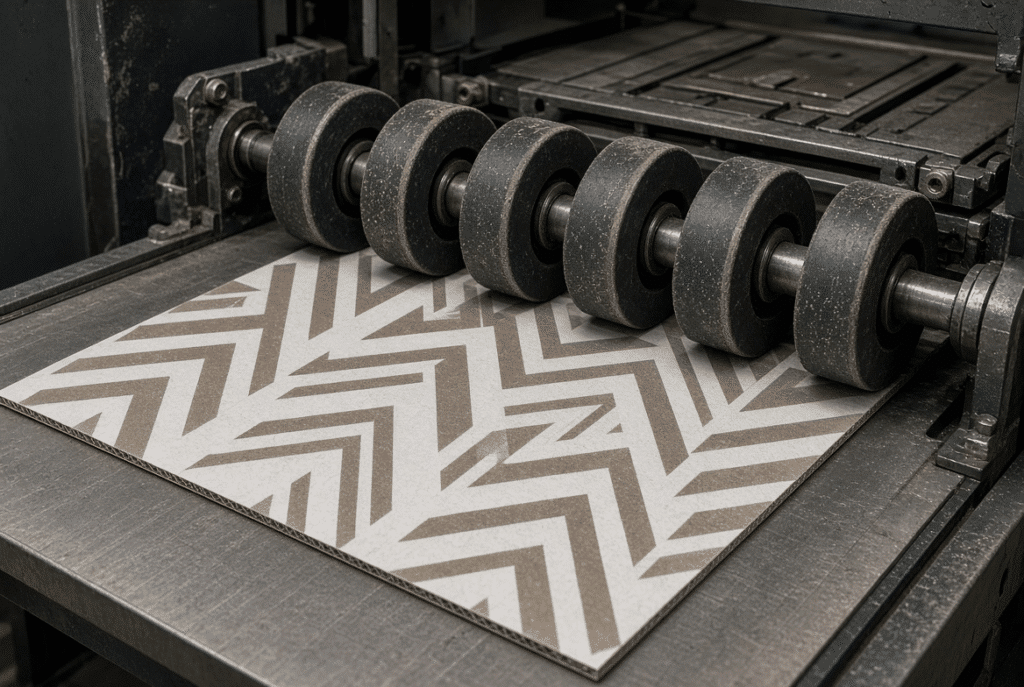
Protect the Surface Through Guides and Sheet Support
A stable support path minimizes unexpected rubbing, edge catching and contact with machine parts.
Set Guide Clearance Correctly
Guides should ensure that the sheet does not be pushed sideways. Inadequate clearance causes rubbing and/or damage to the edge and excessive clearance allows for drift or skew. Formats and thickness of sheet must match with clearance and board stiffness and warp.
Keep Support Surfaces Clean
Paper dust, ink residue, dried adhesive, coating particles, film fragments, oil and grease all transfer marks. If the contamination occurs in one small area, it will remain in the same area on each sheet until it is cleaned.
Check Transition Points
Review transition from pile to feeder, feeder to positioning table, positioning to die-cutting and die-cutting to delivery. Check for gaps, rapid changes in elevation, rough edges, lack of support, and sheet lift.
Manage Warped Printed Board
Bowing, twisting, and edge curl cause increased rubbing and contact instability. Check and categorize material, adjust support and slow down in set-up when required. When severe warp is present, it cannot be rectified by controlled feeding alone.
Maintain Registration While Protecting the Printed Surface
Surface protection and registration must be managed together. Reducing contact too far can create slip or skew; excessive contact can leave marks.
Control the Lead Edge
Consistent lead-edge arrival helps the machine establish a repeatable sheet position. Lead-edge condition, wheel contact, sheet support, feed timing, and front-gauge arrival all matter. Printed windows, slots, handles, borders, and crease lines make lead-edge accuracy especially visible.
Adjust Front and Side Gauges
Front and side gauges set the reference position before die cutting. Check gauge pressure, parallelism, edge condition, and sheet format on several sheets rather than a single sample.
Distinguish Surface Damage from Registration Error
Typically, a mark is a sign of a contact problem. A change in the print-to-die relationship might be due to skew, warp, positioning error, print variation or movement of the lamination. Check surface appearance and registration using same sample sheets.
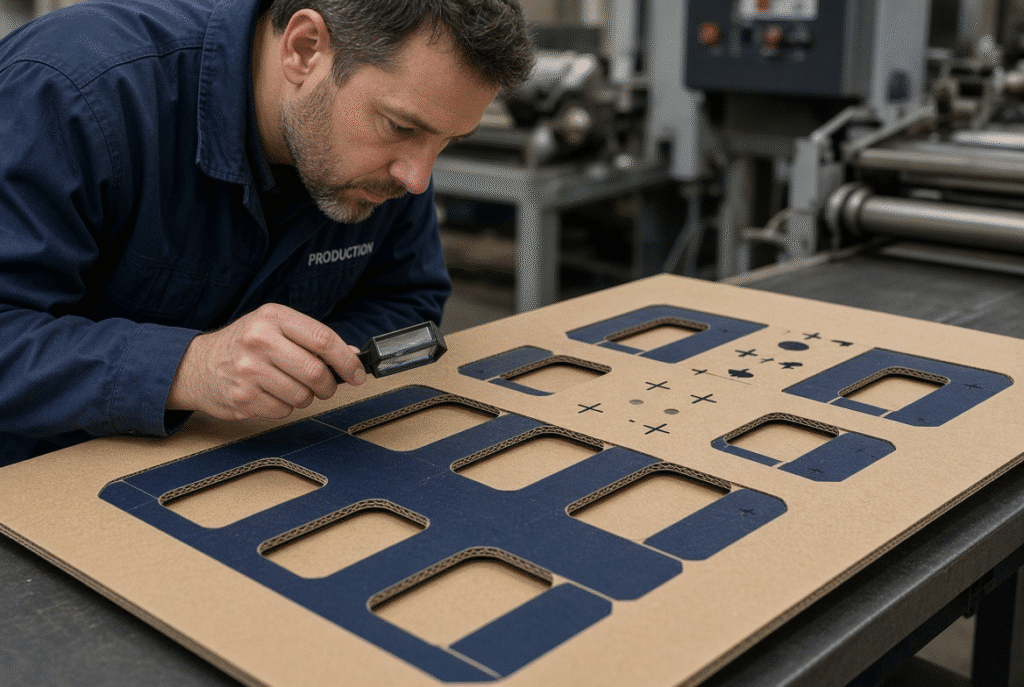
Protect Different Printed Surface Types
The surface protection varies depending on the face-sheet finish and the type of construction of the boards.
Uncoated Printed Board
There are still some risks, including ink transfer, rubbing, dust collection and disturbance of fibers. Contact surfaces will still need to be cleaned and controlled sliding is still necessary.
Varnished or Coated Board
Pressure marks, changes in gloss and scratches are more noticeable. Optical sensors can also be affected by highly reflective or heavily printed surfaces – check the reliability of detection with the actual stock.
Film-Laminated Board
Common problems include film scratches, wrinkles, lifting, pressure marks and edge sensitivity. Before setting up check the film bond and edge condition.
Litho-Laminated Corrugated Board
With a print face sheet on a corrugated base, there are more variables to consider: position of lamination, movement of the face sheet, curl, and registration of the face sheet to the die. The laminated sheet should be both surface protected and registered.
Set Die-Cutting Pressure Without Damaging the Board
Pressure-free feeding relates to the transport of the sheet. The pressure used to die-cut comes afterwards. Both the printed face and the corrugated structure should be controlled to ensure the safety of the printed face and the corrugated structure.
Signs of Excessive Die Pressure
Surface dents, pressure lines, flattened flutes, crushed creases, loss of board stiffness, folding issues, face-sheet deformation and rising machine load are all signs of too much force.
Signs of Insufficient Die Pressure
Incomplete cuts, uncut corners, poor crease quality, inadequate waste removal or sheet variations indicate lack of pressure or other setup problems. Don’t increase the pressure, first check the die, the cutting rules, creasing rules, make-ready, counterplate, board thickness and machine parallelism.
Separate Feeder Pressure from Die Pressure
The problem in the feeder area is different from that in the die cutting area. Wrong adjustments waste time, and may create new defects.
Monitor Surface Quality During Production
The first approved sheet does not guarantee the rest of the run will be clean. Defects can develop later due to contamination, wear, difference in boards and movement during delivery.
Inspect Contact Areas Regularly
Inspect feed-wheel contact areas, lead edge, side edges, guide paths, die handover and delivery surfaces at regular intervals. If marks are repeated at the same reading position it is almost invariably a fixed contact point.
Check Registration and Finished Features
Examine registration marks, printed borders, cutting edges, creasing lines, side margins, front margins, windows, handles and slots. Compare samples taken over time, not just the first good sheet.
Watch for Changes in Machine Behavior
Early warnings are changes in noise, rising feed resistance, slipping, rising registration variation, new surface markings, dust accumulation, or adhesive build-up. They are quickly caught preventing a large batch of packaging defect.
When to Slow Down or Stop
Any of the following surface markings should be cause to slow down or stop: repeated surface markings, increasing skew, registration movement, double feeding, missed feeds, repeated jams, edge crushing, delivery rubbing or unusual noise. It is important to have the production stable and safe, rather than reaching a nominal maximum speed.
How to Test Surface Protection Before Full Production
It is more effective to test with the actual printed material than with general machine descriptions.
Prepare Representative Samples
Consider using samples that are identical to the board construction, flute type, sheet size, printing coverage, coating or varnish, film or lamination, typical warp, edge condition and die layout.
Record Machine Conditions
Take note of feed-wheel settings, guide positions, front and side gauge positions, machine speed, sheet support, die pressure, make-ready, delivery settings and board batch.
Evaluate Surface and Registration Together
Check scratches, scuffing, pressure marks, ink transfer, gloss changes, print-to-die registration, cutting quality, creasing, flute condition, curl, waste removal and delivery stacking. You should run enough sheets to get to a point where you can see if there are any recurring defects, not one successful sample.
Define Acceptance Criteria
Establish allowable surface quality, registration, stable speed, waste level, and level of operator intervention and delivery quality prior to testing. Criteria should be based on what the customer specifies as a requirement in their packaging and not general numerical tolerances.
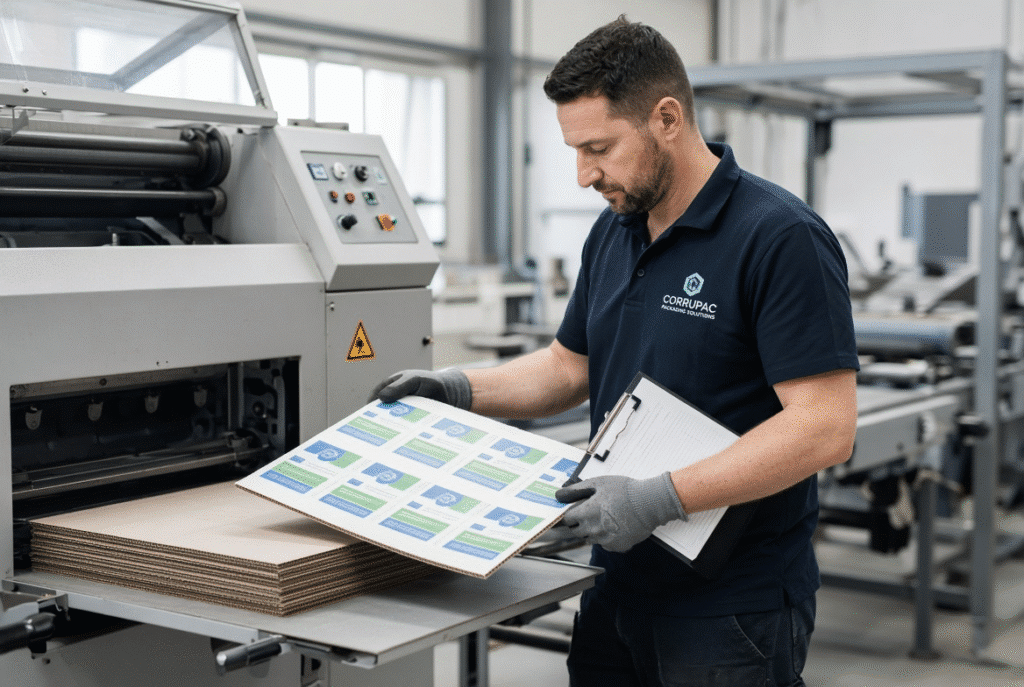
D1060Y and Printed Corrugated Board Applications
DAIS D1060Y is a flatbed die cutting machine featuring an automatic lead edge feeding mechanism, which is suitable for sheet-fed paperboard and corrugated-board cutting. It processes grey board from 250 g/m² up to corrugated board up to 9 mm thick, the largest sheet size is 1060 x 770 mm and the maximum working speed is 6,500 sheets per hour under normal conditions. The suitability of sensitive printed, coated, varnished, film-laminated or litho-laminated board for the specific use will be determined by the board construction, surface finish, size of the sheet, warp, die and type, target speed, and configuration of the machine. Generally, plant should provide representative sample(s) of print and production needs for a proper technical evaluation to be done.
Frequently Asked Questions About Pressure-Free Feeding
What does pressure-free feeding mean?
It is controlled feeding that minimizes the unnecessary pressure, friction, and rubbing of, but also allows for separation, movement, guiding, and positioning of the sheet. It does NOT mean the sheet is not in contact with something at all.
Can feed wheels scratch printed corrugated board?
S scratched, soiled, out-of-line or tight wheels will cause scratches, pressure marks, ink transfer or gloss changes. Wheel condition and contact pressure should be regularly checked.
How can I prevent marks during feeding?
Ensure contact components are kept clean, inspect wheels and guides for condition, ensure lowest possible print pressure is used but still able to achieve stable movement, ensure sheets are supported, and test actual printed material before production.
Does pressure-free feeding improve registration?
Registration is controlled by feeding; however, front and side gauges, board flatness, timing, print consistency, lamination accuracy, and die setup are also factors.
Should I use the lowest possible feed pressure?
If the pressure is too low, there is a risk of slippage, loss of feed, and skew. The optimum target would be the lowest practical pressure that can be used to achieve the stable sheet motion for the material and machine speed being used.
Can laminated corrugated board be fed without surface contact?
In most sheet-fed systems, there is a control point for contact somewhere in the transport path. The surface protection relies on the following factors: contact area, contact pressure, cleanliness, alignment and condition of the laminated board.
Why do marks appear only after a long production run?
Significant wheel wear, heating, adhesion, mark-ups from board variations in a batch, or delivery rubbing will all add marks later in a run.
What information should I provide for a surface-protection machine test?
Provide printed samples similar to board construction, flute, thickness, coating/lamination, sheet size, common warp, die layout, customer’s preferred speed and registration, and surface finish.
Summary Guidance – Use Controlled Contact to Protect the Printed Surface
The most successful definition of pressure-free feeding is that it is a controlled surface protection in a complete sheet handling process. Check the print board prior to feeding. Maintain cleanliness of all contact surfaces. Inspect and adjust feed wheels. Use controlled pressure. Keep the support at regular intervals and ensure clearance of guidance. Check both front and side position. Ensure feeder pressure is not the same as die-cutting pressure. Take a surface and registration check during the run. Check deliveries and stacking. Test real print materials, rather than risk going into full production. If the product is sensitive printed or laminated corrugated, submit a sample of the material and the production specifications, to ensure that the equipment can be set up to match the production requirements for the job.