

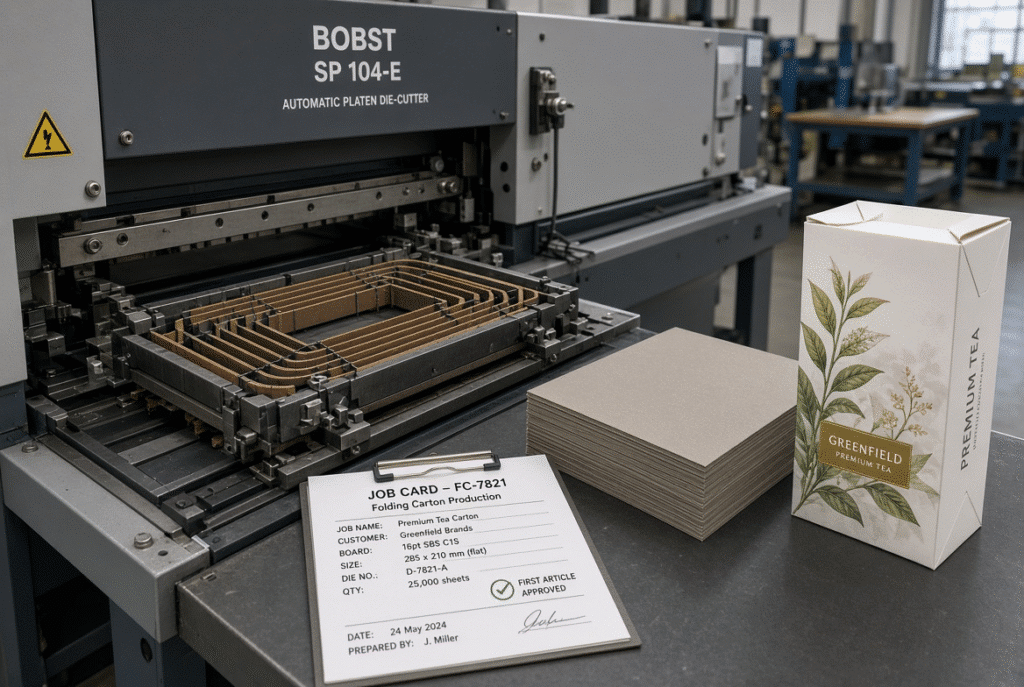
The best way to minimize makeready time on a platen die-cutting machine is to have the tooling, material, job data and inspection criteria ready before the last run of the previous job is completed, and then use a consistent sequence for setting up the feeder, registering the material in the machine, applying the press, testing samples and getting them approved. Makeready is not just pressure adjustment. It’s the whole switch from one completed project to the first accepted and stable sheets for the following project. Time is wasted by plants when operators are looking for dies, waiting for material, having to create settings from the ground up, or running multiple trials because an approval criterion hasn’t been established. Hasty set up isn’t synonymous with a lack of safety and quality control. It is eliminating needless waiting, searching and trial and error needed to perform a change over without enhancing the finished carton.
What Is Makeready in Platen Die Cutting?
The complete preparation and adjustment of a job that is finished is called makeready. It covers tool setting, material setting, feeder and registration, pressure and make-ready, sample testing and quality inspection. Makeready isn’t complete once the machine begins cycling. Makereading does not end until the machine is delivering acceptable sheets at the operating condition at which it is to be run, and the sheets are consistently cut, creased, registered and delivered.
The Main Stages of Makeready
A practical breakdown will allow teams to visualize where real delays actually begin:
- Job preparation
- Tooling change
- Material and feeder setup
- Registration setup
- Pressure and make-ready
- Sample testing
- Quality approval
- Production handover
Each stage can create idle time if tools, information or responsibilities are unclear. Treating makeready as a single block of “machine adjustment” hides the real bottlenecks.
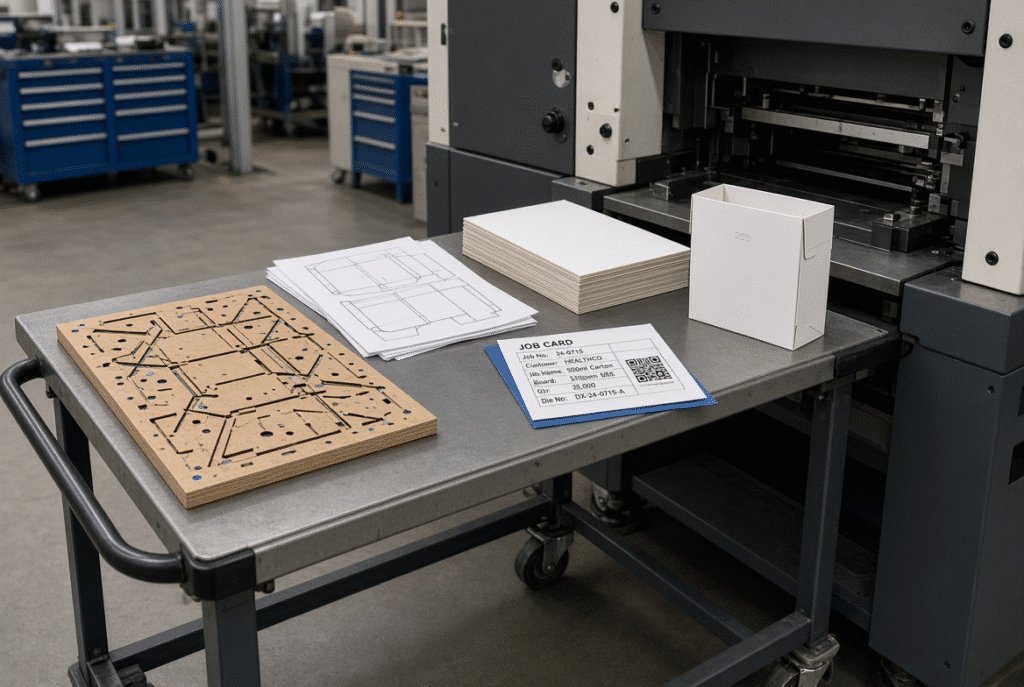
Setup Time Versus Production Waste
Success is not given by a short clock time if it results in excessive trial sheets or cartons that do not fold or glue down. Log all machine downtime and the sheet count to first article approval. Too many trials may indicate that the tooling has not been thoroughly checked, that quality criteria are not defined or that several parameters are modified at the same time, which requires repeated starts.
Why Makeready Time Varies Between Jobs
The set-up time varies depending on the complexity of the dies, the variety of cutting, creasing and perforating rules, the size of the paper sheet, the paperboard or corrugated material grade, the coating or lamination, the number of products per sheet, the condition of the tooling and the operator’s experience, whether it is a repeat or a first run. There is no universal target time that will work for all plants or all orders. The better way is to reduce the unnecessary part of the variance (rather than trying to target an arbitrary number).
Prepare the Next Job Before the Current Run Ends
The savings are typically available at the highest levels before the machine even stops. During the running of the current job, another person can set up the next die, material, documentation and quality requirements. This is a parallel preparation; the common sequence of “machine stops then everyone looks for things” is eliminated.
Stage the Die and Tooling
The following die board, cutting and creasing rules, stripping equipment, make-ready materials, counters and any other necessary accessories should be prepared before change over starts. Use job number, die ID and revision on each piece to ensure the operator does not have to spend time checking on the uncertain tooling. Delay is caused by a ready die that is not labeled.
Stage the Material and Confirm Its Condition
Count and inspect another batch of paperboard or compatible corrugated, before the end of the previous run. Examine size, thickness, coating, curl, warp, grain/flute direction and print registration. If the machine has a missing or improperly configured stack then the machine appears slow even if the actual delay is outside the machine.
Prepare the Job Card and Quality Standard
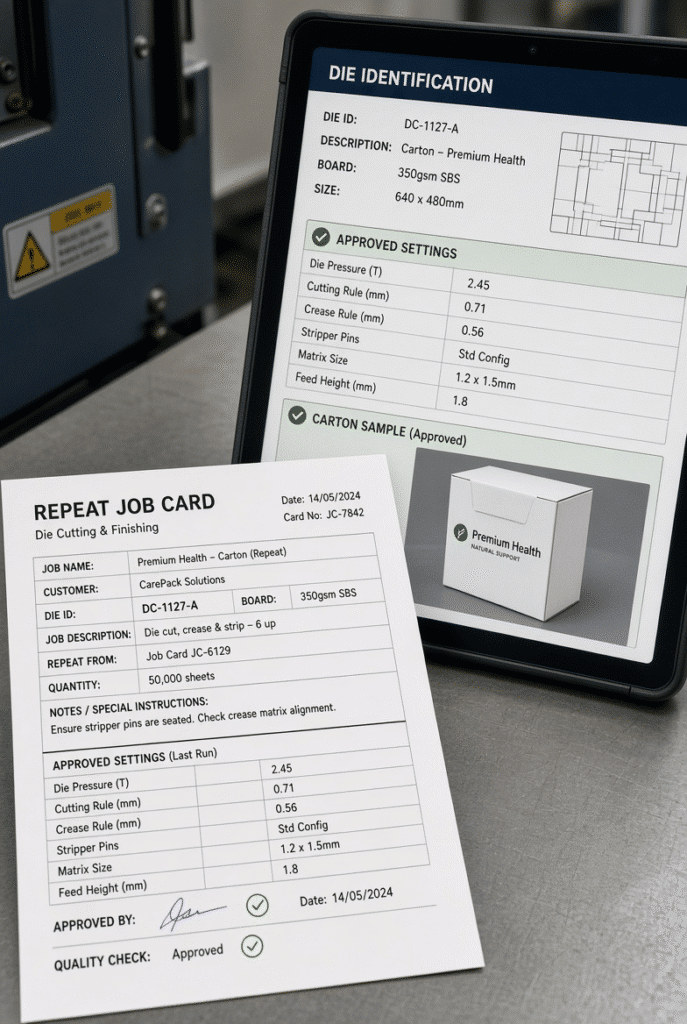
A practical job card should show the customer or job number, die identification, sheet size, material and thickness, feeder settings, front and side gauge settings, pressure, notes on make ready, speed, delivery settings, sample approval criteria and any folding, gluing requirements. If all of the operators are using the same reference, there is less variation in set up between shifts.
Define the First-Article Approval in Advance
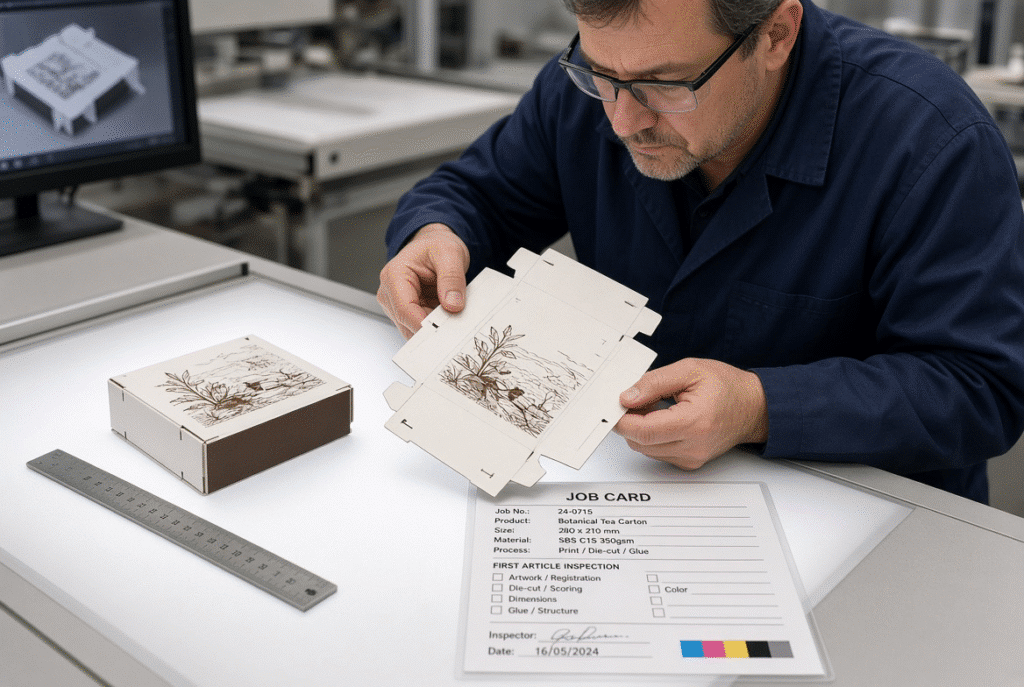
Decide before the sample is printed whether it is acceptable with the cuts through, crease formed, the perforation liner peeling off, the sheet registering with the die for printing, the waste being separated, the flatness of the sheet or the assembly of the finished carton. If there is no common standard, the same sample will be rejected by different and accepted by different people and the trial will never end.
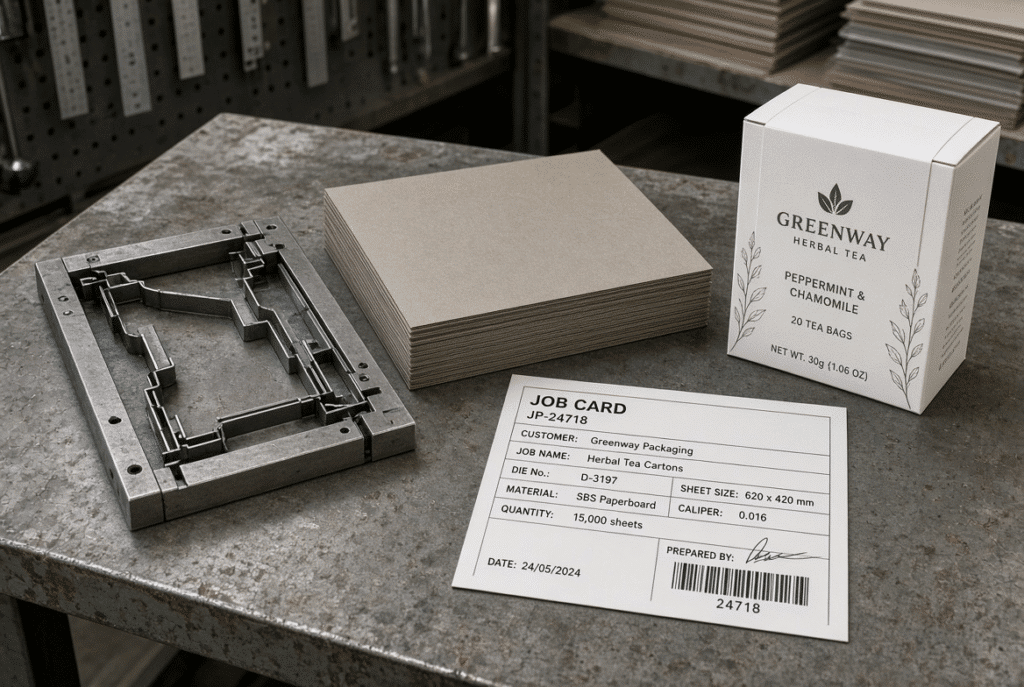
Standardize the Die and Make-Ready Process
A consistent sequence helps to minimize missed checks and ensures that results are more repeatable between operators. The movement should be in the direction of the sheet in the machine.
Inspect Cutting, Creasing and Perforation Rules
Double check the orientation, mounting, locking and reference edges and clearance of the die board before feeding any material. Follow the procedure as described in the machine’s manual and only use trained operators. Do not work or pass through areas of pressure without locking out devices, or without guarding.
Prepare Make-Ready for the Actual Job
Set feeder-head and feeder position, suction, air assistance, pile height, feed wheels and belts/guides for the specific sheet. If it is a known repeat job, the time required to start with a known setting can be saved, however, the current condition of the material needs to be verified. If a previous feeder setup has been altered by curl, warp or coating, then it may be required to repeat the test.
Use Repeatable Die References
Record and mark boards consistently, store tooling in fixed locations and record reference positions. This decreases the time required to find out how to be able to mount it or to duplicate a particular configuration. All marking should be done using a method that will not damage the tooling and in accordance with the die makers procedures.
Maintain a Tooling History
Enter the ID, date of use, material specification, pressure, make ready notes, observed defects, observed repairs/replacement of rules and approved production speed. The history can be used to anticipate problems with setups before the next repeat job begins.
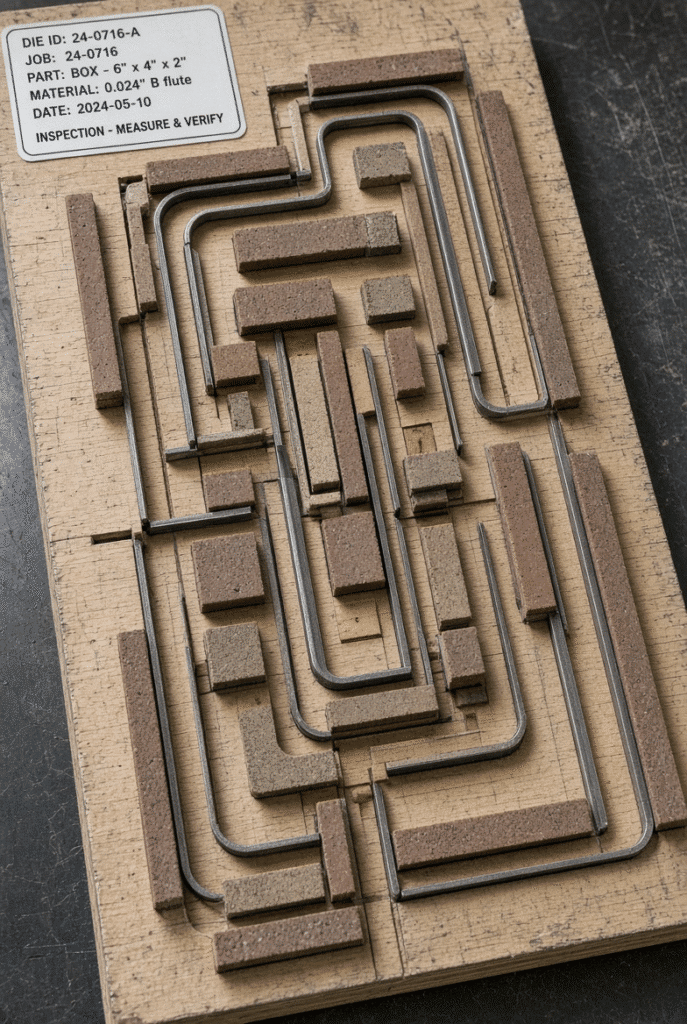
Use a Fixed Setup Sequence for Every Job
A consistent sequence reduces missed checks and makes results more repeatable across operators. The sequence should follow the sheet path through the machine.
Install and Position the Die
Confirm die-board orientation, mounting, locking, reference edges and clearance before any material is fed. Follow the machine-specific procedure in the manual and use only trained personnel. Never bypass guarding or enter pressure-bearing areas without proper lock-out procedures.
Set the Feeder and Sheet Transport
Adjust feeder-head position, suction, air assistance, pile height, feed wheels, belts and guides for the actual sheet. Starting from a known repeat-job setting can save time, but the current material condition must still be verified. Curl, warp or coating changes can invalidate a previous feeder setup.
Set Front and Side Registration
Set front and side gauges using the correct sheet reference edges and product layout. Confirm that the sheet arrives squarely and consistently before making fine adjustments. Registration that looks correct on the first sheet can still drift if the feeder or transport is unstable.
Establish Pressure and Make-Ready Gradually
Begin from a controlled baseline and raise pressure progressively while inspecting sample sheets. Excessive pressure can crush board, crack creases or stress the tooling. There is no universal pressure number that fits every die and substrate.
Confirm Delivery and Waste Handling
Check delivery-pile alignment, air assistance, pile lifting and waste removal during setup. A job is not ready if the cutting is correct but the finished sheets jam, curl or stack poorly. Delivery problems often appear only after several sheets have run, so they must be part of the approval process.
Reduce Trial-and-Error During Pressure and Sample Approval
The sample cycle can be shortened without lowering inspection quality. Structure the testing so each adjustment has a clear reason.
Start with a Known Baseline
For repeat jobs, use the previous approved settings as a starting point. For new jobs, begin from the machine manual, tooling information and material requirements rather than guessing. Previous settings must still be checked against the current substrate, die condition and machine configuration.
Adjust One Variable at a Time
Change pressure, make-ready, gauge position, feeder settings or speed separately whenever possible. Multiple simultaneous changes make it impossible to know what corrected the defect. Record each change and its result so the next operator can follow the same path.
Inspect the Whole Product, Not One Feature
A sample should be checked for complete cuts, cut-edge quality, crease formation, perforation behavior, print-to-die registration, material damage, waste removal, sheet flatness, delivery-pile alignment and folding or gluing performance. Approving one good cut while ignoring a cracked crease or poor carton assembly simply moves the waste downstream.
Use a Defined Approval Loop
Follow a repeatable loop: run a small sample, inspect against the approved standard, identify the dominant defect, change one relevant variable, run another controlled sample, then approve or escalate. This is more efficient than making several random adjustments between large trial batches.
Reduce Makeready Time Through Job Documentation
Job documentation turns individual operator experience into a shared production resource.
Record Machine and Material Settings
Capture machine model and configuration, die ID, sheet size, material type and thickness, coating or lamination, feeder settings, front and side gauge positions, pressure, make-ready, speed, delivery settings and quality results. Keep the record concise enough that an operator can use it during an actual changeover.
Save Photographs of Approved Tooling and Samples
Photographs of die orientation, make-ready, registration marks, crease quality and finished cartons help operators recognize the approved result. Link every image to the correct job revision so the visual record stays reliable.
Track the Cause of Setup Delays
Note why setup exceeded the expected time: tooling not ready, material unavailable, missing job information, feeder adjustment, registration adjustment, pressure or make-ready, defect correction, quality approval delay or mechanical issue. Management can then improve the real bottleneck instead of assuming the machine itself is the problem.
Create a Repeat-Job Library
A structured library of approved job settings reduces setup variation and supports consistency across shifts. Include die ID, material, sheet size, settings, sample image and known cautions. Do not assume every machine has automatic digital job memory; the library is a practical paper or digital record created by the plant.
Improve Team Coordination During Changeover
Makeready time often includes waiting between departments. Production, tooling, quality and warehouse teams need clear responsibilities and hand-off points.
Assign Changeover Responsibilities
Define who prepares the die, delivers material, confirms job documents, sets the machine, inspects samples, approves production and records final settings. Clear ownership reduces idle time and duplicated checks.
Use a Pre-Changeover Meeting for Complex Jobs
For new or technically difficult jobs, hold a short review of die layout, material, crease and perforation requirements, registration, waste removal, target speed and quality risks. Keep the meeting focused on preventing surprises rather than adding paperwork.
Create a Clear First-Article Handover
Once the sample is approved, communicate the result clearly to the operator and the downstream team. Keep the approved sample available for comparison during the early production run. This prevents repeated inspection and uncertainty after the machine is running.
Reduce Material Waste During Makeready
The measurement of efficiency should take into account both time and the number of sheets used. Any method to set up fast using a lot of printed materials or using materials that haven’t been approved is no improvement.
Use Low-Risk Setup Material Where Appropriate
For initial pressure and die-contact testing, blank or lower-cost material may be used provided the final production material is used for registration tests, surface and crease approval. Final approval is always to be in the actual production material.
Prepare Sample Quantities in Advance
Track sheets for feeder set up, registration, pressure and make ready, defect correction, first article approval and production rejects. This indicates if the waste comes from tooling, material, operator method or if the approval criteria is unclear.
Separate Setup Waste from Production Waste
Preventive maintenance helps minimize set-up delays due to unstable feeder, registration, pressure or delivery performance. It’s hard to set up a machine that is constantly requiring compensation.
Feeder and Transport Maintenance
Maintain the Machine to Prevent Slow Makeready
Variation in feeding was caused by worn or contaminated parts and was not a set-up problem, it was a maintenance problem.
Feeder and Transport Maintenance
Check front and side gauge wear, contact surfaces, guides, sensors and alignment. Dating a reference is unreliable if it is worn. It is advisable to review, rather than take for granted, repeated registration adjustment.
Gauge and Registration Maintenance
Check front and side gauge wear, contact surfaces, guides, sensors and alignment. A worn reference makes repeat-job settings unreliable. Repeated registration adjustment should be investigated rather than accepted as normal.
Die-Cutting and Pressure-System Maintenance
Perform the lubrication schedule, check pressure bearing parts, platen alignment, drive components and any unusual noise or vibration. Qualified technical inspection is needed for repeated overloads or instabilities in the pressure. Repairs should not be carried out within protected or pressure bearing areas.
Delivery and Waste-Handling Maintenance
Deliveries may be prone to instability and removal of waste may cause delays in approval. Check pile lifting, side alignment, air assistance, chains, belts and stripping or waste handling components per maintenance plan.
How Automation Can Shorten Makeready on Platen Die Cutters
Automatic functions can help set up faster and with more repetition, but preparation and disciplined procedure is still necessary.
Automatic Feeding and Pile Control
The use of servo controlled feeders and automatic pile machines minimises manual handling and contributes to a consistent sheet flow. This does not actually mean anything until the material condition, machine configuration and correct machine setting by the operator.
Front and Side Registration Systems
Controlled front and side gauges with push-pull arrangements can reduce repeated manual sheet-position adjustments, especially on printed sheets. The system still requires correct reference edges and stable transport.
Pressure, Lubrication and Control Monitoring
These functions enable the operators to be alerted to stable conditions more rapidly, through HMI displays, pressure adjustment indicators, lubrication monitoring, and sensor feedback. Not all machines have automatic pressure recipes and digital job memory.
Non-Stop Feeding or Delivery Functions
Non-stop pile or delivery provides fewer interruptions in longer runs. While they don’t necessarily reduce the amount of initial makeready, they can help with the handling burden during production after the job has been approved.
A Standard Makeready Workflow for Operators
The sequence below may be adapted to the particular machine and safety practices a plant uses.
Before the Current Job Ends
Make up next die, material, job card, tooling, make ready, sample standard and downstream requirements. Ensure personnel and equipment is available for the changeover.
During the Changeover
Complete the previous Job safely, remove and store tooling as per procedure, install following die, load material, set up feeder and registration and establish controlled pressure baseline. Follow machine manufacturer’s manual and lock-out procedures at all times.
During Trial and Approval
Perform controlled samples, examine the whole product, change one variable at a time, record results and get the first article approved.
After Approval
Make final settings and save an approved sample, inform the production condition and check the first product batch for drift and/or defect.
Using the D800S as a Makeready Example
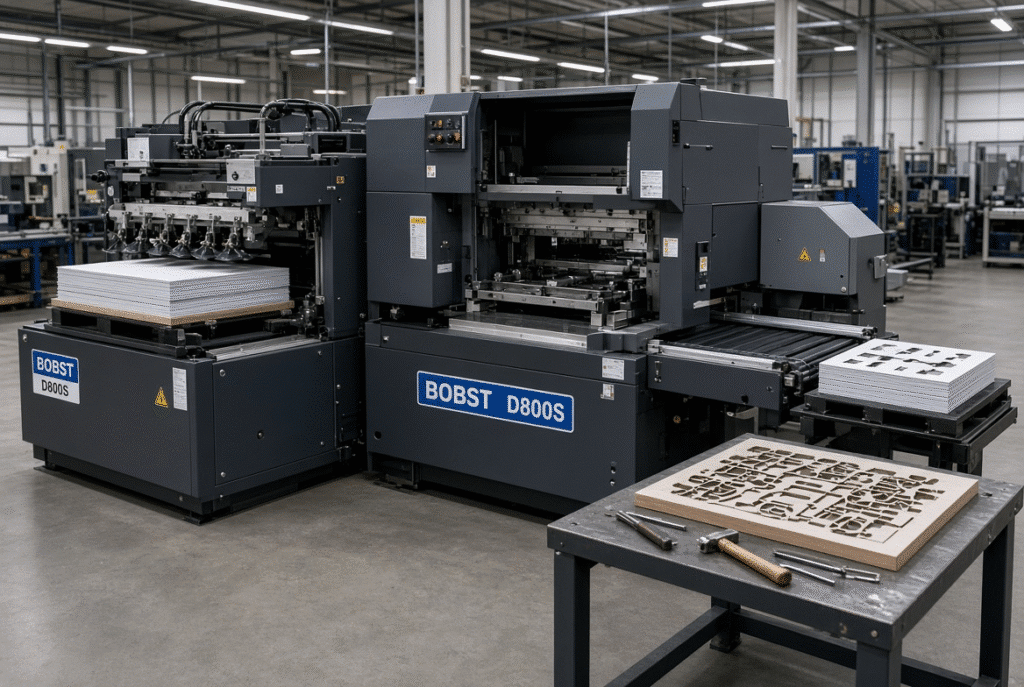
The D800S automatic platen die cutting machine is equipped with automatic feeding, sheet registration, automatic platen die cutting and controlled delivery. The standardized setup workflow can be integrated with features like a servo-controlled feeder, front and side gauges with push pull side settings, forced lubrication, non-stop delivery and HMI monitoring. Specific configuration and the specific brands of the components should be verified on each machine due to the possibility of design changes and purchased parts.
What Should Be Prepared for a D800S Job
Compile machine setup details, die board and tooling, sheet size and material, feeder set-up, front and side registration, pressure and make ready, delivery and waste, sample and quality.
How to Build a Repeatable D800S Job Record
Once the initial successful trial has taken place, the actual approved settings and sample results should be recorded. This gives a reference value for future production on the same machine, and does not make any assumptions about the automatic job-memory functions.
When to Request DAIS Technical Support
Call DAIS support when set up time is greater than anticipated, pressure is unstable, registration is recurring, feeder issues are recurring, or tool and material trials are not resulting in stable output. Send the model of the machine, die details, the material specification, current settings, defective samples and production history.
Final Checklist for Reducing Makeready Time
- Get the next die and material ready for the next run before the current run is over.
- Verify job documents and quality requirements.
- Check and clean up the tools and make ready.
- Follow a standard change over sequence
- Set up feeders and feeder references
- Establish pressure gradually
- Change only one factor at a time!
- Run controlled samples
- Verify cutting, creasing and perforation and registration
- Ensure delivery and waste management are confirmed.
- Record final settings
- Keep a sample that has been approved.
- Reduce delays to track setup and waste
- Perform maintenance on the machine and tooling.
- Repeat mechanical or sensor issues and escalate them.
Final Guidance: Make Makeready Repeatable Before Making It Faster
Discussed below, the best gains in makeready time are from preparation, standardisation of tooling, documentation of settings, approval criteria, disciplined single variable adjustment and reliable machine maintenance. No consistency of speed means that the waste is simply shifted to the next shift or next department. If the process becomes repeatable, more time can be saved and this can be controlled.
If you are evaluating automatic platen die-cutting equipment or need assistance with changeover improvement, you can view the D800S automatic platen die-cutting machine configuration or get in touch with DAIS to discuss your production needs, machine options and technical support.