

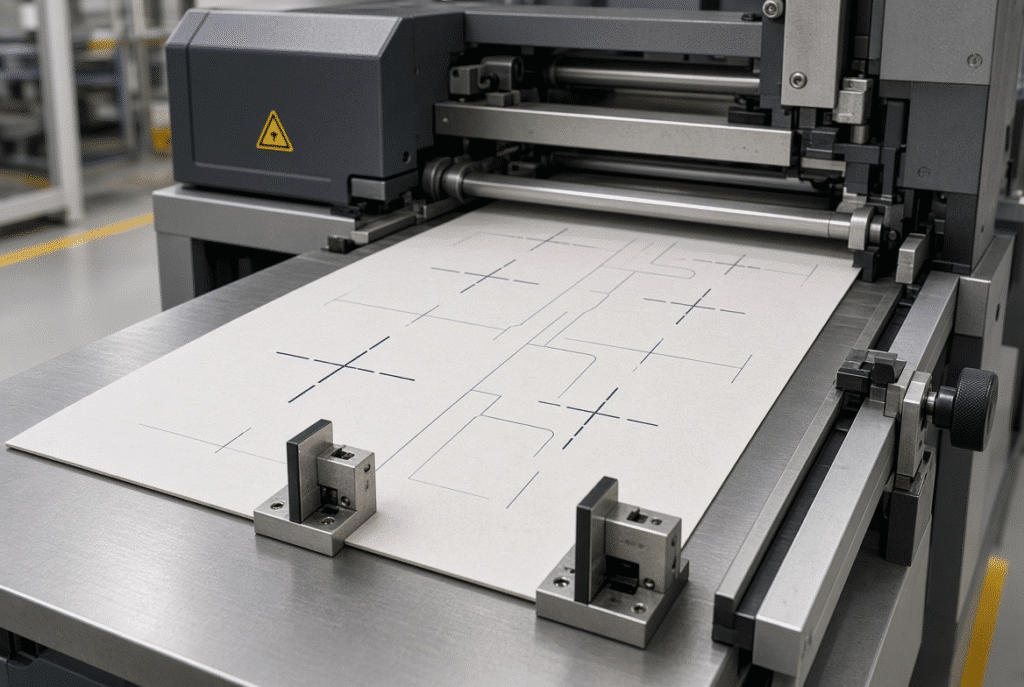
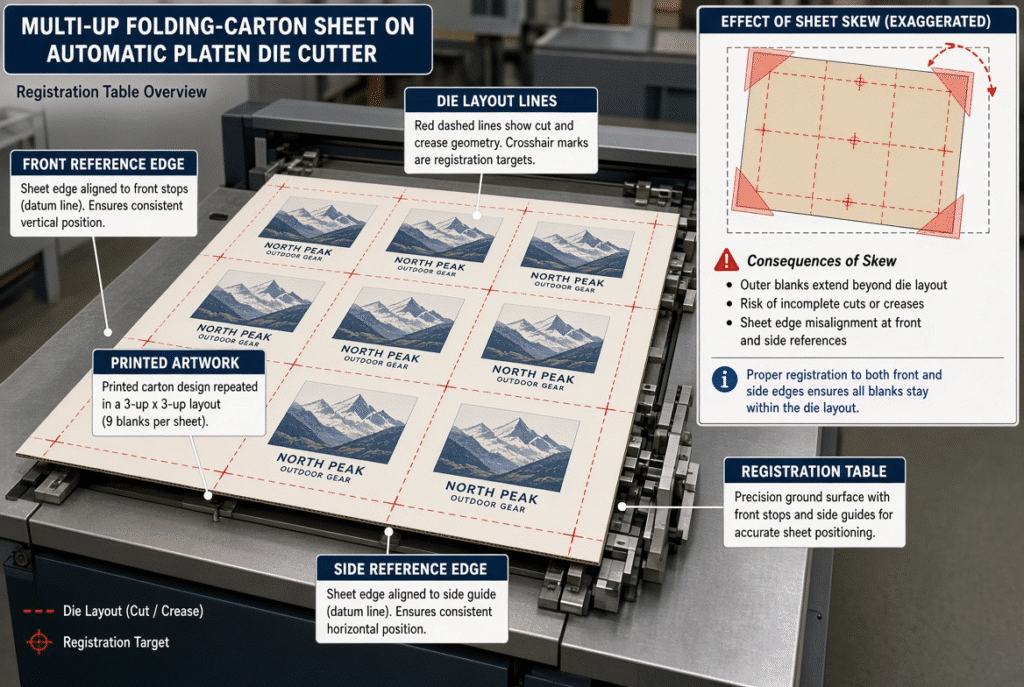
Before closing the platen, the front gauges move the front edge of each sheet and the side gauges are used to set the side reference. In automatic platen die cutting, front and side gauges reduce the amount of sheet-to-sheet variation, and direct the die to printed artwork, creases and perforations.
The only way these systems can operate is if the sheet is delivered on a regular basis. Feeder timing, sheet condition, print registration, gauge surface condition and machine alignment all influence the final result. This adjustment of the misregistration of the die or increase in pressure is not solving the problem – even if it can be solved with gauge contact or sheet arrival instability.
What Are Front and Side Gauges?
The mechanical references at the front and side are called the front and side gauges, and serve to determine the position of a sheet before applying pressure to the sheet using the die. They set its fixed points for positioning it front-to-back and left-to-right. Available from different manufacturers the hardware includes push, pull or push-pull side-gauge, but the same goal is achieved: a sheet coordinate system that can be repeated prior to cutting.
Front Gauges and the Leading-Edge Reference
The leading edge of the sheet is fed into the front gauges for positioning the sheet in the direction of travel. The sheet should come just in time, and should lay flat against the gauges. If one corner comes in contact first, or the edge bounces, the entire layout of the die will shift in relation to the image(s) or crease lines printed. The change will be apparent as mismatched top and bottom edges and/or creases on a folding-carton blank when the edges of the cardboard are not aligned with the artwork.
Side Gauges and the Lateral Reference
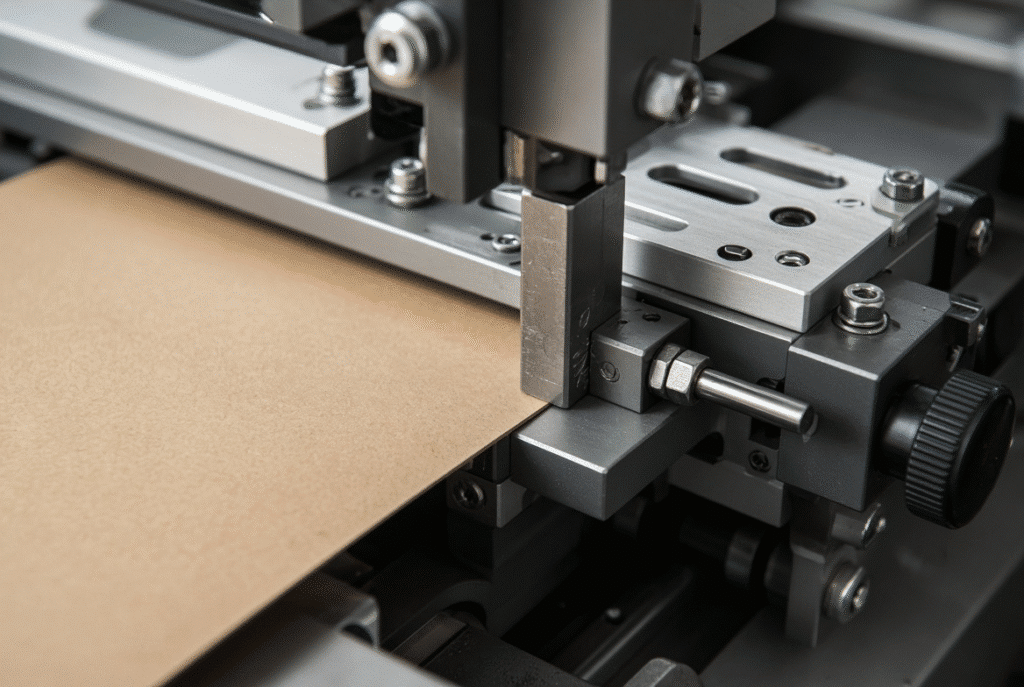
Side gauges are used for lateral movement and angular skew, to position the side edge of the edge of the sheet. For multi up sheets, if there are any empty spaces, they will always be in the same left to right position to the die. Damaged edges, curled edges, rough edges or edges not square will not be reliable to keep in contact with the sheet, and will allow the sheet to drift or rotate before the grippers can grab it.
Gauges, Grippers and the Die-Cutting Cycle
The gauges determine the base position and the grippers or the transport system is used to move the registered sheet into the platen. Gauges have no cuts or creases. When the sheet is correctly positioned and held over the cycle the role is complete. If the registration gets out of synch, operators may end up making errors in operating the two functions simultaneously.
How the Sheet Reaches the Registration Area
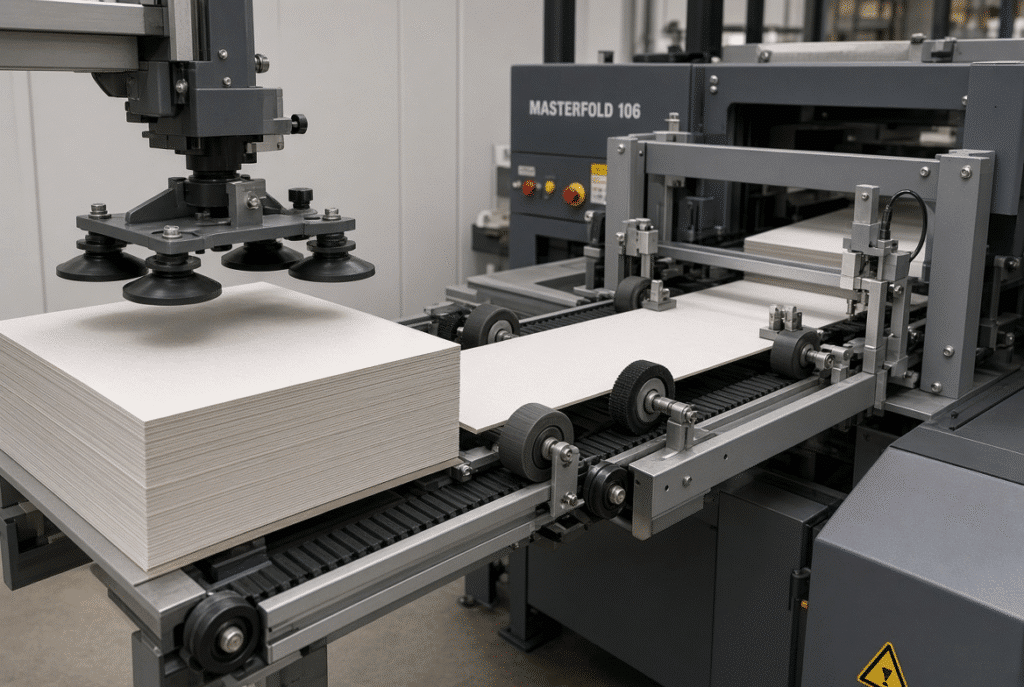
Starting upstream is the correct way to read a gauge. The feeder should be able to separate sheets without delay and without skew, and feed the sheets at an appropriate speed. There are problems that can arise due to double feeding, unstable suction, curled stock, worn transport parts, etc., that a gauge cannot resolve.
Feeder Timing and Sheet Arrival
If the sheet is not aligned at the correct time and/or at the correct speed, it will come into contact with the front gauges on an angle or at some residual speed. One corner can take a shot at the first shot with the other corner not getting a full shot. The net effect is a uniform offset forward or backward or a slight twist that may not be fixed by the side gauge.
Sheet Separation and Double-Sheet Detection
Only one sheet is in the path due to the suction cups and air assistance and the photoelectric double sheet detection. A false gauge contact and immediate registration scatter is achieved with two sheets or a leading edge folded. Good preparation of the piles, static control and visual inspection of the stock should be used in conjunction with the use of sensors to reduce the risk.
Transport Belts, Feed Wheels and Sheet Support
As the sheet approaches the gauges, feed wheels, belts, brushes and support tables ensure that the flatness and square of the sheet is maintained. Slipping or rotating the sheet can be caused by the worn polyurethane wheels or by the brush pressure being set incorrectly. When registering occurs sporadically, check the entire transport path before changing the gauge setting.
How Front Gauges Improve Front-to-Back Registration
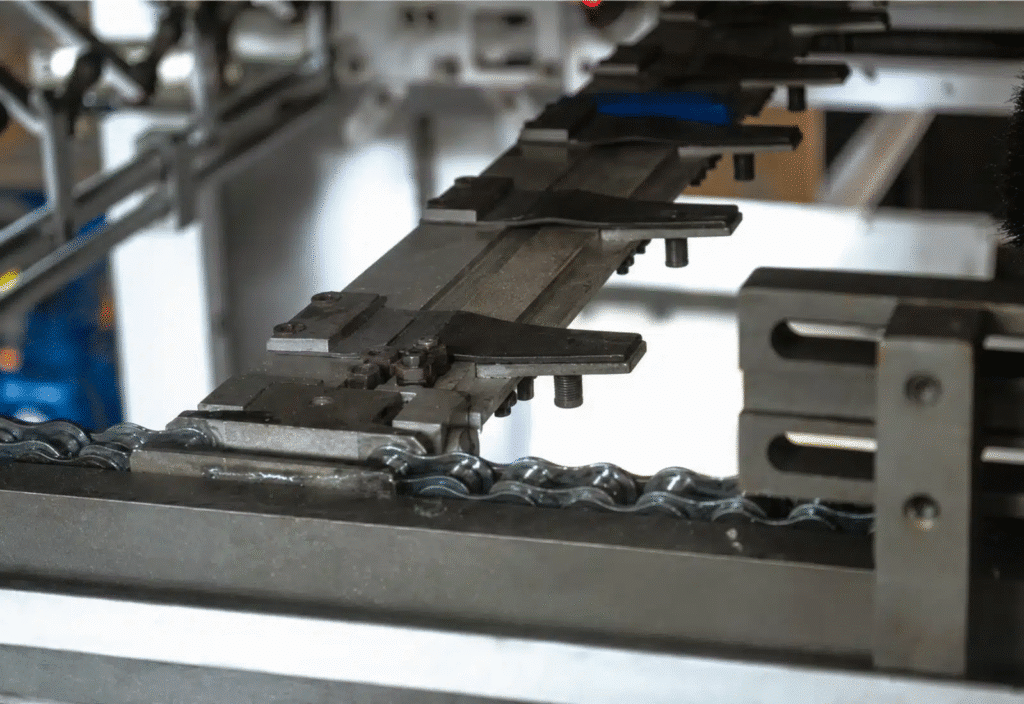
Each sheet is the same length from front to back and has the same amount of leading edge contact. The repeatability ensures that the same position of the crease and perforations, and the same relationship between the crease and the edge of the sheet are in the same position relative to the printed picture.
Establishing a Repeatable Leading Edge
The front edge of the sheet should be free of any fray or tears and the edge should be square and firm enough to fit snugly against the gauges. The lack of good board contact (soft or damaged board, too fast arrival speed) can result in no good contact and in small measurable position changes from board to board.
Preventing Front-to-Back Position Variation
If the leading edge is not aligned evenly, it appears as if the die is falling down the sheet. There are no longer an even top and bottom edges, there are no crease lines where they should be, and carton panels are not the correct size. Note whether the error is consistent across the sheets or varies from one sheet to another; this will help you determine the problem, mechanical setting or behavior of the material.
Front Gauge Adjustment for Different Sheet Conditions
A re-evaluation of the gauge position might be necessary if the size, thickness, and stiffness or surface finish of the sheet change. Follow sequence of machine set up with actual job stock using sample sheets. The general rules should not be used as a substitute for the manufacturer’s procedure for that model.
How Side Gauges Control Lateral Registration and Skew
Side gauges are provided to establish the reference for a left to right cut and to help keep the sheet “square” to the die. The error appears as cropped side margins, or off-center windows on multi-up folding carton layouts (the effect of the error is spread across the blank on the sheet).
Controlling Side-to-Side Position
Printed artwork, cut lines and creases stay aligned and there is minimal left-to-right movement when printed on solid contact with the side gauge. This will depend on the machine design and the operator’s choice of which edge will be in contact with the gauge.
Reducing Sheet Skew
Skew is due to the sheet entering at an angle, moving at different speeds on one side of the front gauges or due to uneven contact with the front gauges. The angular error may be limited with side gauges if the edge of the sheet is stable and the transport system is set up right. No gauge system will correct sheets that have highly skewed or non-square measurements, even those that do.
Push-Pull and Other Side-Gauge Arrangements
In automatic platen machines there are various side-gauge mechanisms. Some employ push gauges, others pull gauges, and there are many push and pull gauges to the left or right that the operator can select for the requirements of the printed sheets. The same level of goal – to obtain a dependable lateral reference. Buyers are advised that they should ask the supplier to demonstrate to them the actual system the supplier provides, rather than relying on a single design statement.
How Front and Side Gauges Work Together
Front and side gauges are used to establish two orthogonal references to locate the sheet prior to platen cycle. The front gauge for longitudinal position and the side gauge for lateral position and to restrict rotation. Controlling just one edge allows the sheet to move or twist in the un-controlled edge.
Establishing a Stable Sheet Coordinate System
Once the leading edge and side edge are fastened, the position of the die draw will be repeated back to the sheet. This relation determines the display of artwork and crease lines, windows and perforations of printed packaging.
Registration Across Multiple Carton Blanks
Even though the error is small, multi-up layouts will magnify the error. The furthest blank from the reference edges will have a clear movement as long as the angular displacement is not too large, it is only barely noticeable at the front gauge. Don’t just look at one empty box, look at several boxes.
Why Gauge Contact Must Be Consistent
The reference will only be repeated in a stable and controlled manner when the sheet contacts the gauge system. The contact (registration) varies with bounce, edge damage, high or low transport speeds, static etc. Don’t assume that the gauge is out of adjustment when the sheet arrives or when the material reacts to the gauge.
Common Registration Problems Related to Front and Side Gauges
Trace known defect to the direction of travel and sheet. A list of common symptoms, most likely causes and initial checks that an operator should perform is summarized below.
| Visible Symptom | Likely Cause | First Inspection | Corrective Direction |
| Entire die position too far forward or backward | Front-gauge setting, feeder timing, sheet arrival delay | Check front-gauge contact and feeder timing with sample sheets | Confirm leading-edge contact before moving the die |
| Entire die position too far left or right | Side-gauge setting, lateral transport, guide pressure | Verify side-edge condition and side-gauge contact | Adjust side gauge only after transport is stable |
| One side of the sheet shows greater error | Sheet skew, unequal gauge contact, non-square stock | Measure sheet squareness and check both edges | Correct transport or material before fine gauge moves |
| Registration varies from sheet to sheet | Feeder suction, double sheets, static, curl, worn wheels | Inspect pile, double-sheet detector and transport wheels | Stabilize feeding and sheet condition first |
| Registration drifts during a long run | Pile condition change, gauge wear, sensor contamination, temperature | Record when drift begins; check sensors and gauge surfaces | Clean, re-check and escalate repeated mechanical wear |
| Sheet contacts the front gauge unevenly | Arrival angle, bounce, damaged leading edge | Observe sheet approach at low speed | Adjust feeder timing or replace damaged stock |
| Sheet jams near the gauge area | Excessive curl, wrong gauge height, transport obstruction | Check sheet flatness and gauge clearance | Correct material or transport path |
| One blank in a multi-up layout is more misregistered | Angular error amplified across the sheet | Measure registration at several positions | Reduce skew at the gauges and transport |
The Entire Sheet Is Shifted Front-to-Back
When offset (from front to back) is a constant, it is likely to be front-gauge position, feeder delay or die-board position. Variable offset is an unstable arrival or changing condition of the sheet. Ensure that the reference edge and the machine setting are correct before moving the gauge or the machine.
The Entire Sheet Is Shifted Side-to-Side
A side-gauge or guide pressure problem is the most common cause of fixed lateral offset. Scatter that is random from left to right is usually an indication of edge damage, transport slip and/or inconsistent side contact. Check the reference edge and print out the registration marks in the next sheets.
The Sheet Is Skewed
Angular error is because of unequal feeder contact, transport slip, non-square sheets or unequal gauge contact. The final result on the blank will be the result that will appear before you get to the gauges, and not the origin of the skew.
Registration Varies from Sheet to Sheet
Check feeder timing, suction stability, double sheet events, static condition, conditions on the curl and transport wheel. Determine if the difference occurs at the feeder, with the registrants or in the printed copy.
Registration Drifts During Production
Examine feeder timing, suction stability, double sheet events, conditions on the curl and transport wheel, static condition. Determine if the difference occurs at the feeder, with the registrants or in the printed copy.
Material and Printing Factors That Limit Gauge Accuracy
It may be caused by different pile conditions, moisture in pile, contamination of sensors, wear of the sensors in the mechanical looseness, slow drift. Note the start time of the drift and number of sheets run. If mechanical inspection is not possible after repeated drift after normal checks are obtained, then further tests are needed.
Sheet Squareness and Edge Quality
Gauges for the width of the picture are not to be used in front or side views, but the actual picture sheet. If the gauge setting is correct, but the printing sheet is not properly registered, then the print-to-die will be poor.
Curl, Warp and Moisture Variation
Paperboard that is curved or warped can either raise up off a gauge, or touch one spot. The water alters the size and hardness of the substance. Ensure stored and condition material in plant procedures to ensure arriving sheets are in a condition to be fed into machine.
Printing and Coating Registration
Artwork might already be out of alignment due to printing registration, coating and/or trimming, or artwork growth during drying. Verify the print registration marks on the incoming sheets prior to changing any gauge setting. Even if the die is properly aligned onto the sheet, the print itself might wander, resulting in a wrong look.
Corrugated Board Considerations
When using corrugated sheets that are compatible, there are other variables that can be introduced: Flute direction, thickness, warp and stiffness. When the sheet is not flat, gauge contact may not be as stable. The front and side gauges aid the positioning but do not eradicate the natural difficulties of corrugated material.
How Operators Should Set Up and Check the Gauges
Use equipment according to the instructions. No general guidance is ever a replacement for machine-specific training and procedures in writing.
Confirm Sheet Size and Reference Edge
Verify sheet dimensions, leading edge, side edge, print orientation and die layout. Verify which edges are to be in contact with front and side references. If the wrong reference edge were used, then the registration would be the same but wrong.
Check Feeder and Transport Before Gauge Adjustment
The sheet should come in nice and square and consistent. Check for pile alignment, suction, sheet separation, feed-wheel condition, transport belts, guides and sensor cleaning prior to fine gauge moves. Solving a feeder issue by adjusting the gauge position only covers up the actual cause.
Run Controlled Sample Sheets
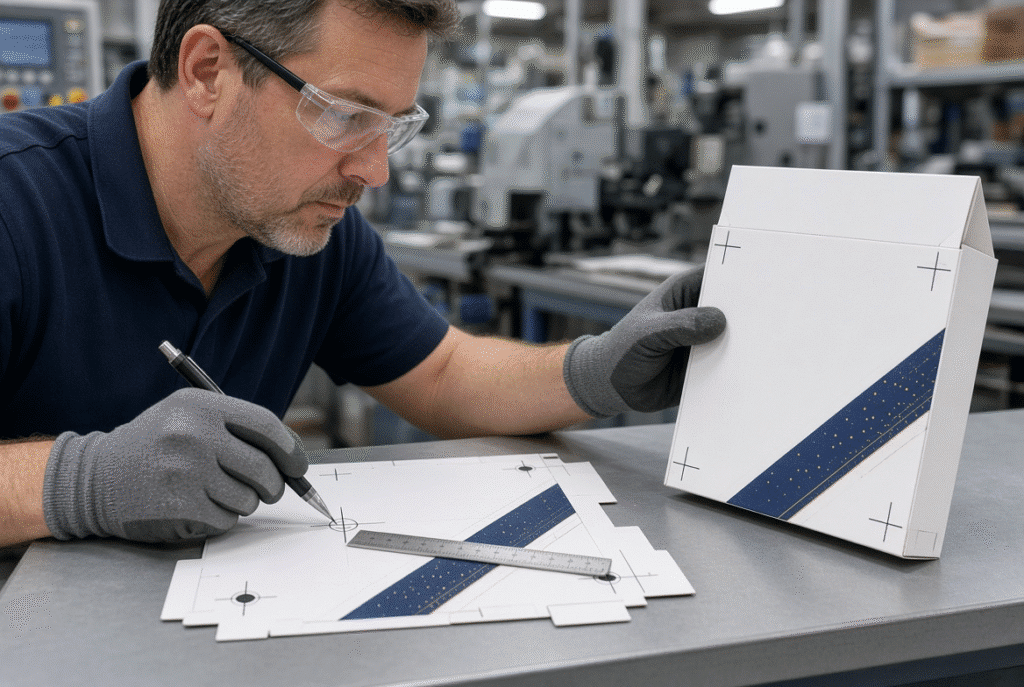
Test a small sample set and print registration marks, die lines, crease lines and side-to-side consistency at various points on the sheet. Change one variable at a time and write down the verified value.
Verify the Result on the Finished Carton
Flat-sheet registration must be verified with respect to folding, gluing and assembly performance. A good looking blank on the table will not necessarily result in an even carton. Panel alignment, position of glue flaps, carton squareness and carton window centering on the assembled sample.
How Gauge Systems Relate to Die-Cutting Accuracy Specifications
While gauge systems play an important role in a machine’s sheet positioning accuracy, they don’t cover all the accuracy requirements.
Gauges Improve Repeatability, Not Every Process Variable
When the sheet arrives regularly, front and side gauges minimize positioning variation in the sheet. They are unable to fix printing mistakes, severe material warp, sheet size differences or problems with a damaged die. The following tolerances are all to be viewed accordingly.
Measuring Registration Across the Sheet
View a couple of openings on sheet in a couple of sheets in a run. In angular mode it is easier to see the errors at the end of a large sheet. Record material, speed and gage setup and measurement method to compare subsequent results.
Interpreting a ±0.25 mm Specification
When the machine specification is given as ±0.25 mm accuracy, ask whether it is a statement about the accuracy of the machine positioning the die relative to the sheet, or whether it is a statement about how accurately the machine will position the sheet relative to the die for a given set of conditions, or whether it is a statement about how accurately the machine will register the print on the die given these conditions. The gauge system is a factor in the result, isn’t a universal standard for all materials and all jobs.
What Buyers Should Ask About Front and Side Gauges
Concentrate the questions on the real registration system and material the plant will be operating with.
Questions About Gauge Design
- How many front and side gauges are there?
- Which side-gauge is used (push, pull or push-pull)?
- What is done to control the sheet skew?
- What is the condition of the edge of the sheet that is necessary for the contact to be reliable?
- What happens if the system is used with different sizes of the sheets?
- Which sensors are used to record the arrival of the sheets?
- What is done to protect the gauges?
- What are the regular and optional gage functions?
Questions About Materials and Applications
- What numbers of grades of paperboard were tested?
- What are the thicknesses and flutes of the corrugated board that are supported?
- How do curled or warped sheets get to the feeder?
- What was your average score on the printouts?
- What was the rate of production if there was a test?
- How many measurements and how many of the sheets were checked?
Request a Representative Trial
Experiment with the actual paperboard or corrugated, printed artwork, die layout, product orientation, target speed and folding or gluing requirements. We should explore two points of the sheet registration and the final function of packaging in the trial.
Using the D800S as a Gauge-System Example
There is automatic platen die-cutting machine with front and side registration in the D800S. Some technical information is available which allows the operator to adjust the registration according to the requirements for each printed sheet, for both left and right push-pull side-gauge systems. The sheet arrival detection and double sheet photoelectric monitoring are combined to guarantee that sheets go into the platen cycle.The sheet arrival detection and double sheet photoelectric monitoring system is used to synchronize the switch from transporting to platen cycling.
Every step of the registration chain from the feeder head to sheet separation and transport to front and side gauges, die-board position, platen cycle, delivery and material and print condition should be considered. The actual setup and some of the terms will have to be checked with the machine’s manufacturer.
What the D800S Product Information Indicates
The documentation mentions the front and side gauge functions, and the left and right push-pull side-gauge arrangements. The features help to align the sheets with control prior to die cutting. Mechanical details and options of exact machines need to be confirmed with the final machine configuration.
How Buyers Should Confirm D800S Registration Performance
Give sheet(s) and product drawings, material specifications and requirements for targets to register. The most effective way of testing performance remains to receive a representative sample trial in the buyer’s environment. The accuracy given should not be considered to be guaranteed unless it has been demonstrated with the specific materials of the job.
Final Checklist for Front and Side Gauge Registration
- Check the correct reference edges on the sheets.
- Check square and size of check sheet
- Look for curls, warps and damaged edges.
- Check the separations and timing of the feeders
- Check feed wheels, belts and guides
- Confirm front-gauge position
- Confirm side-gauge position
- Check and clean sensors
- Run controlled samples
- The study of a variety of sites in the sheet.
- Check print-to-die registration
- Fold and put together an example carton.
- Record stable settings
- Repeat drift or mechanical wear – escalate.
Final Guidance: Gauges Work Only When the Sheet Arrives Consistently
Front gauges and side gauges provide better registration, as they create repeatable front and lateral reference points prior to platen cycle. They are effective when feeding is stable, when sheets are not crumpled, when accuracy in printing is maintained and when tools are properly set up and correct. The gauges are repeatable from sheet to sheet when all these factors are combined, however, which is required for folding carton and packaging production.
When it comes to automatic platen die cutting machines, request samples of the front and side gauge system on their materials, printed sheets and target registration requirements. Send sheet samples, product drawings and production condition files to DAIS for assessment of registration chain under realistic running conditions.