

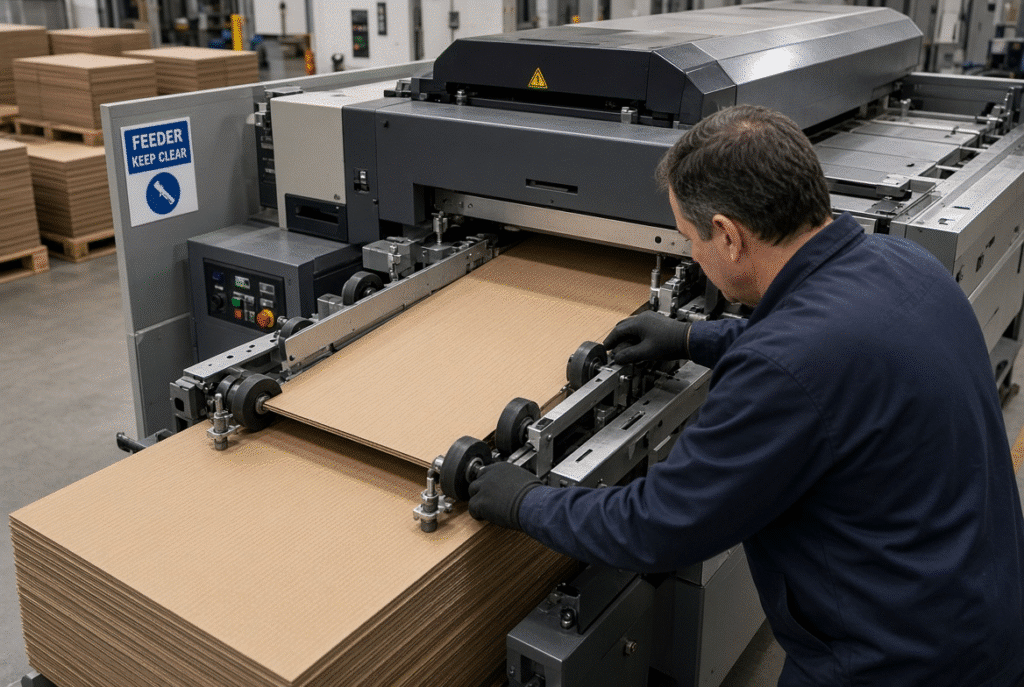
The first step in troubleshooting the lead edge feeder is to determine where the sheet is moving improperly. Double feeding, skewed sheets, missed feeds and paper jams are not the most likely causes that it will stop or blank will come out incorrectly at the point of failure. Fault typically occurs in the pile, separation, lead-edge engagement and/or along the transport path.
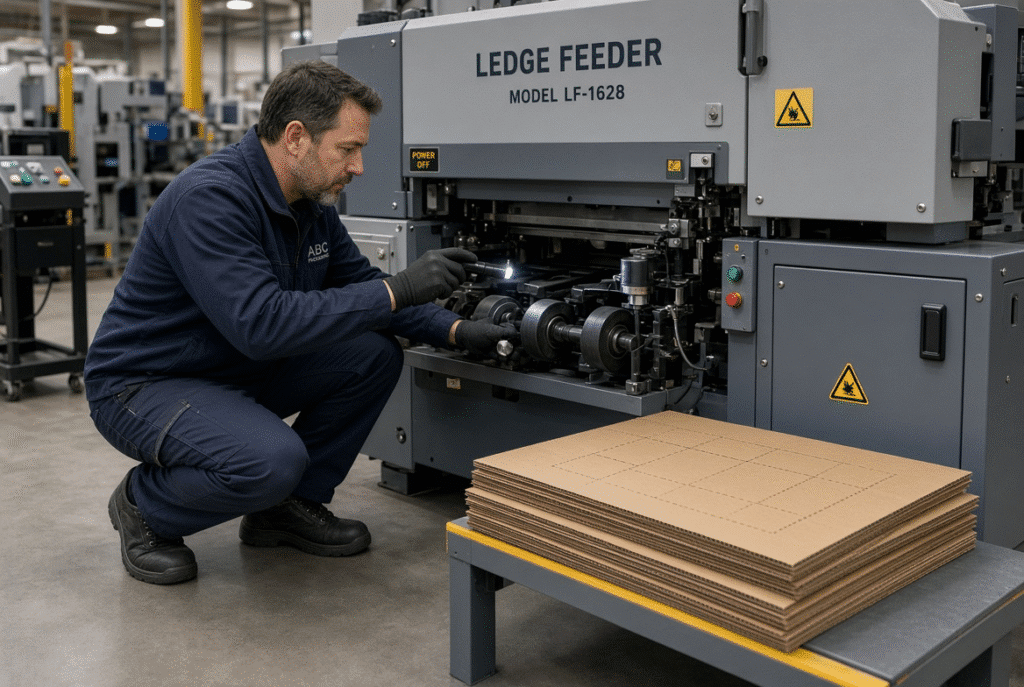
Higher feed-wheel pressure or speed change should never be the first action of an operator or maintenance team. Each of these issues requires a different solution for board warp, damaged edges, poor pile alignment, worn components, dirty sensors, etc. and timing errors. Before the machine is inspected, stop the machine, stop all movement and adhere to the manufacturer’s safety procedures. Do not go under or around machine moving parts or around guards.
Start with a Safe Troubleshooting Process
Any inspection of the lead edge feeder is to start with safety. Mechanical and pneumatic energy is stored in moving feed wheels, belts, gauges, and a die cutting section, which has the potential to inflict serious injury.
Stop the Machine Before Inspection
Turn off machine and check for all motion. Separate energy sources, if necessary, for site procedure. Only then should you open up covers, extend towards the feeder or die-cutting workstation. Only qualified personnel should perform electrical, pneumatic, drive and control-system work.
Do Not Bypass Guards or Safety Devices
Guards, interlocks, emergency stops and light curtains are there for a reason. Never skip them when diagnosing to keep a job running. Production pressure does not overrule authorized access procedures or lock-out/tag-out rules.
Record the Symptom Before Changing Settings
Record the type of board, flute, thickness, sheet size, machine setting, frequency of faults and the exact position where the first abnormal movement occurs. Adjustments that are not documented make it more difficult to locate later.
Trace the Sheet Path from the Pile to the Die Cutter
Let the feeder and die-cutting portion of the process run as a single unit. The first failure point will provide much more information than the location where the jam or misregistration becomes apparent. Follow 5 stages:
- Separate and sheet pile
- Lead-edge engagement
- Transport and support
- The ability to detect and time sensors.Detection and timing of sensors.
- Sitting and cutting over to each other.
Sheet Pile and Separation
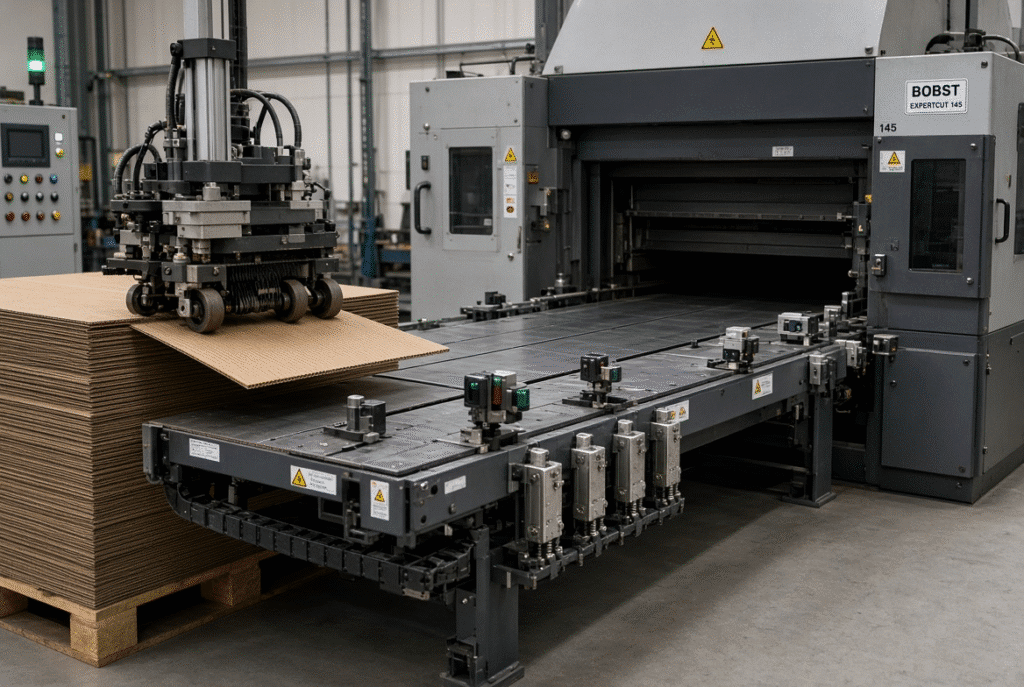
Watch the top sheets leave the stack. Does one sheet lift cleanly, or do two or more move together? Is the lead edge flat? Does the remaining pile stay square? Excessive stack pressure, static, coating residue, or warped board can cause sheets to stick. Separation brushes or air systems that are set too high or too low also create uneven release.
Lead-Edge Engagement
Ensure that the edge of the sheet that is to be operated on is aligned with the edge that is being driven at the same time with equal contact. If a car is slipping, it is late picking up or if one side is flatter than the other, it is probably due to wheel height, pressure, or contamination.
Transport and Sheet Support
Once the sheet is removed from the stack it may lift, sag, or twist if it is large or warped. Inspect belt guides, support tables, transition gaps and belt height. Any span or rough surface on which the boat is not supported can cause a skew or surface mark or perhaps a jam that does not show up until some distance downstream.
Sensor Detection and Timing
Presence or arrival timing is reported by a sensor. It can’t correct a crooked sheet and raise a sheet that wasn’t detected at the detection point. A mechanical miss with the feed may still result in a false miss due to dirty lenses, loose mounting, reflective surfaces on the board, or dark print.
Positioning and Die-Cutting Handover
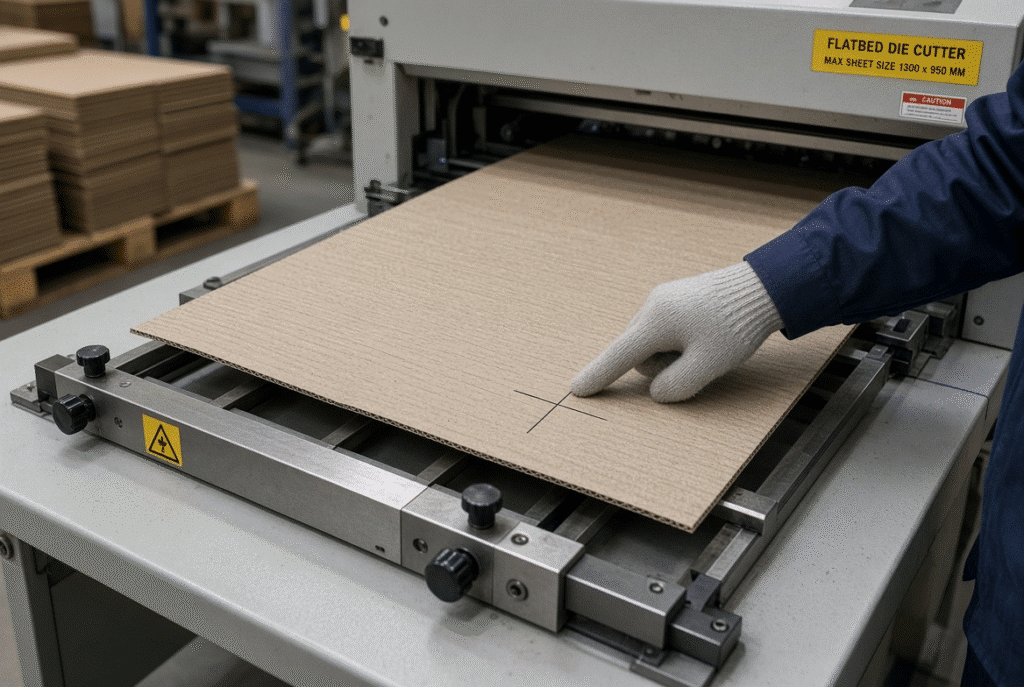
Front and side gauges find the sheet to be used for the die. Registration variation will be apparent even on a perfectly fed sheet, when the sheet comes in late, or when the handover time does not coincide with the machine cycle. Look for the pitch of the check sheet and when the front edge is against the front gauge.
Check the Corrugated Board Before Adjusting the Feeder
Oftentimes material problems will mimic machine issues. Check the board carefully before making any pressure or timing adjustments.
Inspect Warp, Curl and Edge Damage
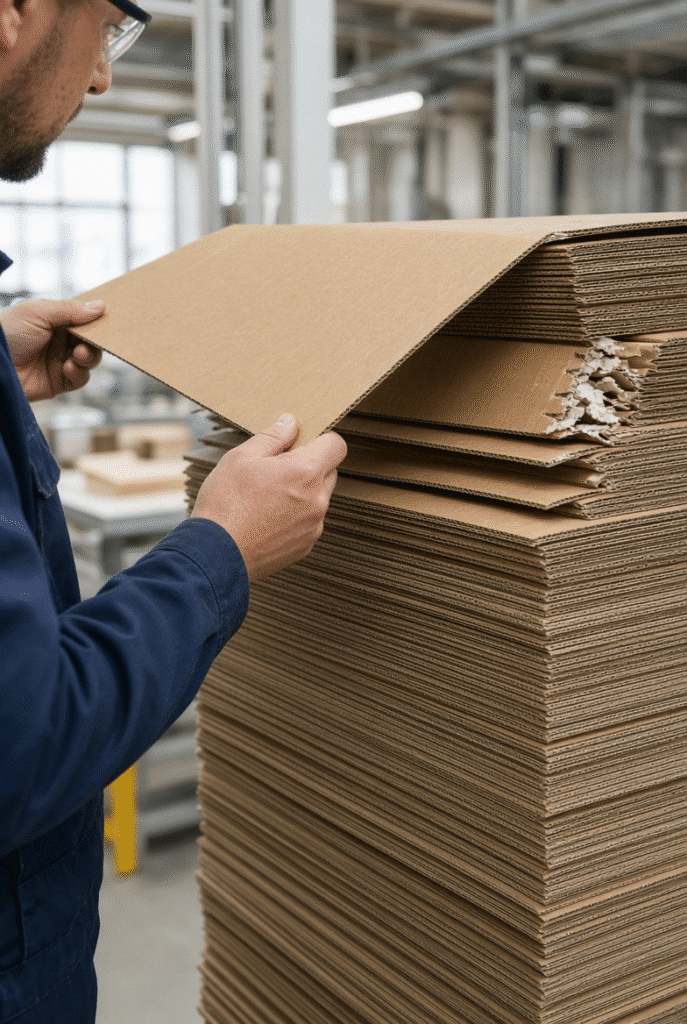
Examine the flutes for bowing, twisting, wavy flutes, curled corners, crushed edges, and delamination. If the sheet is not flat it will contact feed wheels unevenly, lift up or be trapped by a guide. If warping is too bad, you can’t correct it just with pressure.
Check Sheet Size and Squareness
Test the length, width and square of corners for a number of sheets of paper in the same stack. If sizes are mixed or edges are not square, there will be a consistent skew or registration drift regardless of whether the feeder is square to itself.
Check Storage and Moisture Conditions
Board friction and flatness will change with temperature, humidity, stacking pressure and previous printing or laminating process changes. Before assuming the feeder is responsible, check the history of the material to see what has happened in the recent past.
Prepare a Clean and Aligned Stack
Carefully align the pile, and maintain suitable height; discard broken and soiled sheets. Common sources of double feeds and missed feeds include paper dust, coating particles and adhesive residue that are trapped in the sheets.
Troubleshooting Double Feeding
Double feeding – two or more sheets come out from the pile or go along together. This typically produces a jam, an alarm at the wrong time or an out-of-register die-cut blank.
Common Causes of Double Feeding
Due to static, moisture or coating, sheets will stick together. If the pile pressure is too high or the separation setting is not set right, then a second sheet will be lifted. Too high feed-wheel pressure will cause an additional sheet to be dragged with it and too low pressure will cause the first sheet to slip and the second to catch up. This is due to unequal edges of the piles, damaged corners, and inadequate double-sheet detection as well. This is dependent on whether the second sheet comes off the pile or is added later along the transport path.
First Checks for Double Feeding
- Pull the stop handle to stop the machine.
- Make sure piles are aligned and take out any seriously damaged sheets.
- Check for height and wear on separation brushes or air systems.
- Inspect the condition of the feed wheels and contact.
- Check the approved separation settings for the board in question.
- Check double-sheet detection is clear and operational.
- Test a small batch, and watch the first few sheets come out of the batch.
Avoid increasing pressure on the opening move.
Double Feeding at Different Pile Heights
As the pile runs down, so does feeding behaviour. The pressure and the angle of the sheets will not be the same at the top as at the bottom. Compare how often the fault occurs at full height, mid height and low pile and work within manufacturer’s recommended piles.
Troubleshooting Skewed Sheets
A skewed sheet is fed at an angle to the transport or die-cutting path. Completed blank will have uneven margins, shifted windows, or misaligned creases.
Uneven Feed-Wheel Contact
When wheels are worn, contaminated, set different heights, or have different pressure, one side of a sheet will advance faster than the other. Examine wheel condition and contact on each side of the operator and drive wheels separately.
Guide and Side-Gauge Misalignment
A guide that is too tight, too loose or not parallel will cause rotation of the sheet. This is caused by debris, poor side-gauge fitting or too much side-gauge pressure. Remove the guides and check the parallelism prior to adjusting other settings.
Board Warp and Uneven Support
A sheet is curved or bent up from one surface and snagged on another. Open gaps, uneven belts or low support tables exacerbate the issue. If there is a severe deformation in the board, it is not possible to correct it completely by machine adjustment.
How to Confirm the Direction of Skew
Check the front edges, side edges, registration marks, and finished blanks on multiple consecutive sheets of paper. Observe the side that comes first and if the angle is regular or in random order. Skewed means mechanical alignment and random indicates board variation and/or intermittent contact.
Troubleshooting Missed Feeds
A missed feed can take place at any point from separation to sensor detection. Start at the pile and move towards the front.
Did the Sheet Leave the Pile?
If the sheet does not come off the stack, the issue is separation, sticking, pile pressure, edge damage, or board warp. Don’t start looking downstream or with timing.
Did the Feed Components Engage the Lead Edge?
Reliable transfer is not possible when the wheels are not in good condition, the wheel pressure is not correct, the lead edge is lifted, or the wheel is slippery or dirty. Check for contact and support before changing timing.
Did the Sensor Detect the Sheet?
A signal may be missed even if the sheet is present, due to dirty lenses, incorrect height, loose mounting, reflective board, dark print or wiring. Sensors should be cleaned and inspected when the machine is stopped and in accordance with the instructions in the manual.
Is the Feed Timing Correct?
The following factors are important for reliable feeding: sheet pitch, machine speed and handover time to the die-cutting section. If the problem only occurs at high speeds, then slow down, check contact and support, and then check to see if the board is appropriate before returning to the original speed.
Troubleshooting Paper Jams
The location of the jam may not be the same as where the sheet first encountered resistance. Find the first contact/fold/overlap point.
Jam at the Pile or Separation Area
Jams typically occur here as a result of severe warp, double feeding, damaged corners, poor pile alignment, or foreign material. Ensure the material and separation stages are correct before making any adjustments downstream.
Jam at the Feeder Entrance
Commonly, the curled lead edges, misaligned or improperly sized feed wheels, lack of support, or feed sheets entering at an angle. Name the first machine part that came in contact with the sheet of paper.
Jam Near the Positioning Section
The sheet may be stopped before reaching the front gauge due to side-gauge pressure, guide misalignment, board twist, inconsistent transport, or damaged edges. The body of the sheet is not required to be straightened or angled.
Jam at the Die-Cutting Handover
Sheet spacing, timing mismatch, support gaps, or sheet-size settings are a common occurrence on the transfer to the die. Do not assume that it is the fault of the die itself; it can be the fault of feeder transport or die cutting transport.
Safe Jam Clearing
Stop the machine; if necessary, isolate energy, wait for all motion to cease; then carefully remove the sheet. Check first contact point for damage or debris. Once cleared and settings correct, restart. Avoid pushing or pulling a stuck or long object into the machine.
Check Feed Wheels, Brushes and Guides
Intermittent faults occur that disappear and reappear with board type and speed due to wear and contamination.
Feed-Wheel Condition
Check for flatness, cracks, hardened surfaces, uneven wear, contamination, loose mounting, and height differences. All of these cause a slipping, marking, missed feed or skew.
Brush-Wheel and Separation Condition
Bristles that bend, wear out irregularly due to improper handling, or are not set to the proper height, or are dusty, cause separation to be unreliable. Adjust the settings to the structure of the flute and the design of the machine.
Guides and Support Surfaces
Inspect for parallelism, gaps, rough edges, contamination, and transitions between support sections.
Sensors and Detection Components
Dirt, loose mounting, wrong position, reflection, and wiring faults affect detection. Leave electrical adjustments to qualified technicians using the machine documentation.
Verify Front and Side Positioning
Feeding faults often show up as registration defects once the sheet reaches the die-cutting section.
Front-Gauge Checks
Confirm front-gauge position, parallelism, contact pressure, and whether the lead edge arrives evenly. A bowed or curled front edge produces inconsistent forward positioning even when transport is otherwise correct.
Side-Gauge Checks
Side-gauge pressure that is too high can rotate or crush the edge; pressure that is too low allows lateral drift. Verify clearance and edge condition.
Registration Confirmation
Check printed marks, die-cut edges, creases, windows, and both front and side margins on multiple sheets. Random variation usually traces back to feeding or material; consistent offset more often points to positioning or die alignment.
A Step-by-Step Troubleshooting Sequence
Use the same sequence every time feeder instability appears.
Step 1 — Classify the Symptom
Identify whether the primary problem is double feeding, skew, missed feed, jam, registration variation, surface damage, or inconsistent delivery. Classification sets the starting point.
Step 2 — Check the Board and Stack
Inspect warp, edge condition, size consistency, pile alignment, and contamination. Remove severe defects before changing machine settings.
Step 3 — Find the First Failure Point
Run a controlled test and observe whether the abnormality begins during separation, lead-edge engagement, transport, detection, positioning, or die handover. Do not focus only on the final stop location.
Step 4 — Inspect Contact and Support Components
Examine feed wheels, brushes, belts, guides, support tables, gauges, sensors, and transition points for wear, contamination, misalignment, and uneven contact.
Step 5 — Change One Setting at a Time
Altering pressure, speed, guides, timing, and gauges simultaneously destroys diagnostic clarity. Document each change and its effect on several test sheets.
Step 6 — Confirm Stability at Production Conditions
After correction, run enough sheets at the intended speed and pile height to confirm the fault does not return. Record the stable settings for similar future jobs.
Preventive Maintenance and Production Controls
Routine care reduces the frequency of the same faults returning.
Daily Checks
Inspect feed wheels, brush wheels, belts, guides, sensors, support surfaces, the sheet pile area, visible fasteners, and any accumulation of paper dust or adhesive residue. Note lubrication indicators if the machine provides them.
Periodic Maintenance
Follow the machine manual for bearings, drives, chains, belts, timing components, sensors, lubrication systems, and safety devices. Intervals and procedures are machine-specific; do not invent numbers.
Record Job-Specific Settings
Log board type, flute, thickness, sheet size, observed warp, feed-wheel pressure, guide positions, gauge settings, speed, and any defects. Good records shorten changeovers and make recurring problems easier to recognise.
Know When to Reduce Speed or Stop
Repeated double feeds, rising jam frequency, random registration movement, surface damage, feed-wheel slipping, sensor alarms, unusual noise, edge crushing, or the need for manual correction on every sheet are clear signals. Stable, safe production is more valuable than holding a nominal speed under unstable conditions.
D1060Y and Lead Edge Feeder Troubleshooting Support
The common recurring faults are the result of bad stack preparation, warp, worn or dirty feed wheels, incorrect pressure, guide misalignment, sensor contamination or timing errors. The true cause is determined by finding the first movement of abnormality, not the last symptom.
Frequently Asked Questions About Lead Edge Feeder Problems
What is the most common cause of lead edge feeder problems?
The common recurring faults are the result of bad stack preparation, warp, worn or dirty feed wheels, incorrect pressure, guide misalignment, sensor contamination or timing errors. The true cause is determined by finding the first movement of abnormality, not the last symptom.
Why is my feeder double feeding?
Skew is caused by any type of uneven feed-wheel contact, guide or side-gauge misalignment, board warp, damaged edges, inadequate support, or unequal transport on the two sides. If the direction is consistent, it is likely that the machine is correctly aligned; if it is random, it is likely that there is a variation in the material.
Why are sheets entering the die cutter skewed?
The sheet could not leave the stack, the feed wheels could slip, the front end of the sheet can be damaged or lifted, the sheet may not hit a sensor, or the timing may be wrong for the speed and board in use. Begin at the top of the pile and move down.
What causes missed feeds?
Always inspect boards and wheel alignment before feeding wheels, guides, support surfaces, sensors and timing. Find the point of resistance first, and then build up the pressure. Slow down when the board is not stable.
How can I reduce paper jams?
Check the thickness and condition of the board, the condition of the wheels, wheel cleanliness, wheel alignment, wheel support, and wheel wear. After the above checks, pressure should be adjusted in small increments within the approved range.
Should I increase feed-wheel pressure when sheets slip?
First inspect wheel wear, cleanliness, alignment, support, sheet thickness, and board condition. Pressure should be adjusted only in small steps within the approved range after those checks.
When should I contact the machine manufacturer?
Call support if normal material and setup checks are unable to resolve repeated faults, sensors or timing are not normal, parts might be damaged or board is outside the machine’s working tolerances.
What information helps a technician diagnose the problem?
Machine model, board type and flute, thickness and size sheet, speed, frequency of fault, first failure point, current settings, short video or photos, and representative sample sheets.
Summary Guidance – Troubleshoot the Whole Sheet Path
The process of troubleshooting the lead edge feeder always takes the same steps: First, check the board and stack; Second, check the sheet from pile to die-cutting handover; Third, look for the first abnormal movement; Fourth, check the contact and support components; Fifth, verify the sensors and timing; and finally, adjust one setting at a time. When a fault occurs, make a note of what has caused it so that the same fault does not occur again in the next job. If material and routine adjustments do not result in stable feeding, call qualified technical support, providing symptom and material information. Finally, for plants considering equipment options, the D1060Y flatbed lead edge feeding die cutting machine is still a useful reference to consider for sheet fed corrugated.