

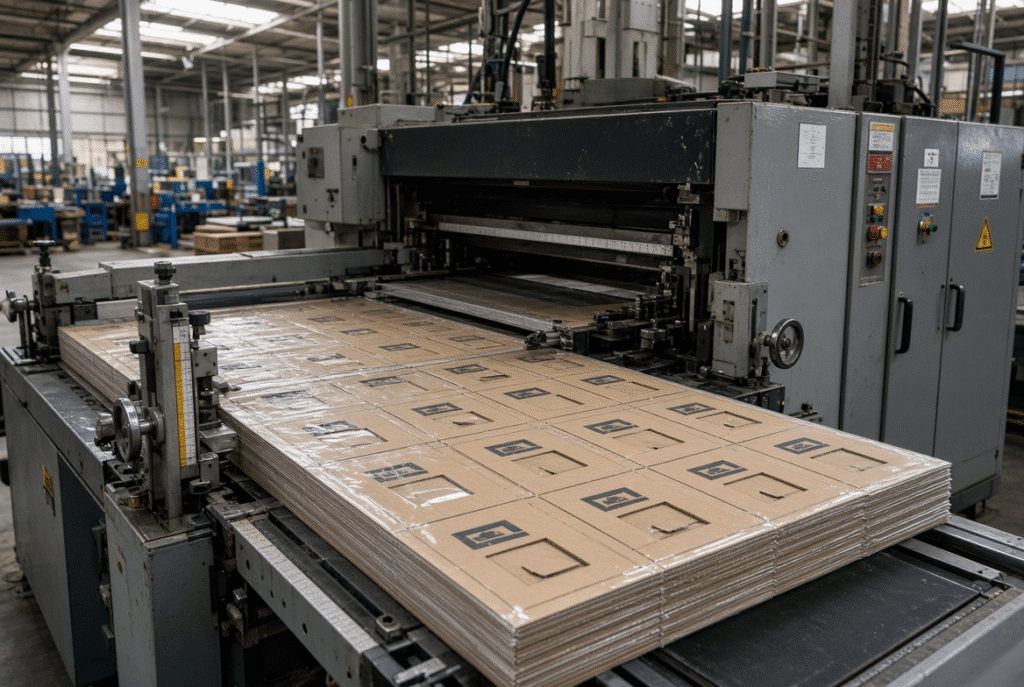
Proper handling of the board to avoid damaging the surface, feed control, front and side sheet alignment, die pressure and visual examination of the printed surface are important factors in successful die cutting of laminated corrugated board. Laminated board is more sensitive than normal corrugated, due to the printed or coated face surface becoming easily scratched and marked by pressure and the corrugated base warping, compressing or changing thickness. Appearance defects and registration problems occur as a result of poor lamination quality, unstable feeding or excess pressure. The practical objective is that there will be a controlled contact and repeatable positioning, not necessarily mark-free production.
Why Laminated Corrugated Board Is Difficult to Die Cut
Even small scratches or gloss changes are noticeable when the product is coated with ink, varnished, with a coating, metallic effects, and with large solid-color areas. Dirty, worn, or overly aggressive contact points in the machine such as feed wheels, brushes, belts, guides, support tables, die handover, waste-removal tools and delivery components can cause marks to be transferred.
Printed Face Sheet and Surface Sensitivity
Poor or inconsistent lamination bond may be responsible for bubbles, wrinkles, edge lifting and face-sheet movement, or separation at the spot. Die-cutting pressure or feeder adjustment cannot repair a defective bond. All material should be checked prior to any machine set up.
Lamination Bond and Face-Sheet Stability
A weak or uneven lamination bond can produce bubbles, wrinkles, edge lifting, face-sheet movement, or local separation. Die-cutting pressure or feeder adjustment cannot repair a defective bond. The material itself must be inspected before any machine setup begins.
Corrugated Structure, Warp and Thickness Variation
Sheet feeding and the necessary pressures for clean cutting and creasing are influenced by flute structure, thickness of the board, bowing, twisting, edge curl, moisture variation and even compression. A large laminated sheets with an edge elevating when being transported may have a tendency to rub against a guide or get into the positioning area at an angle, which may cause registration as well as surface contact problem.
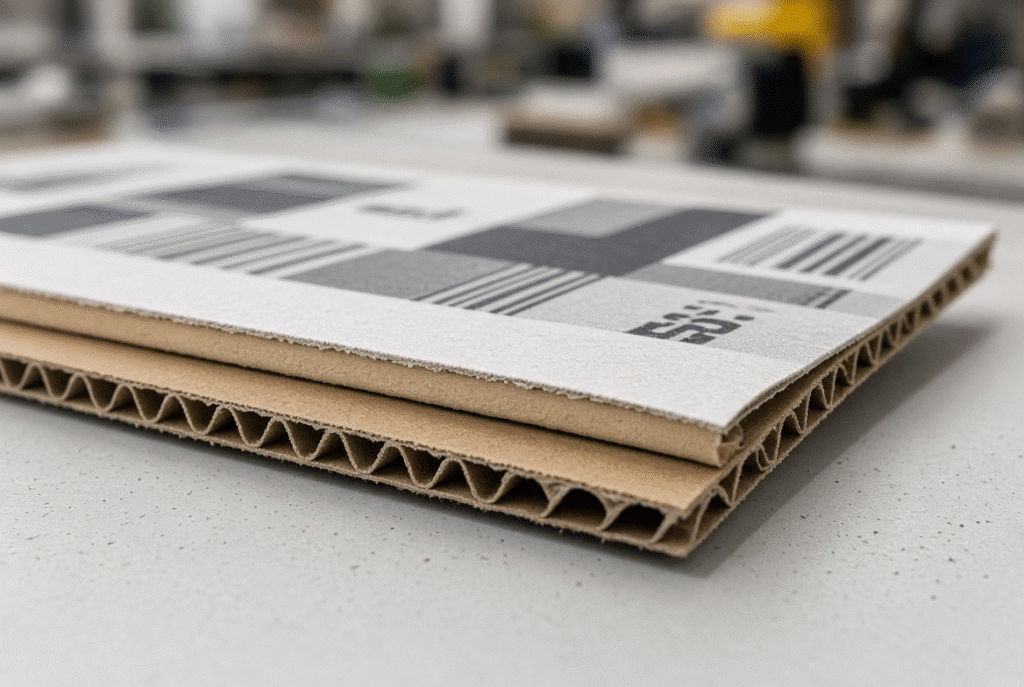
Inspect Laminated Corrugated Board Before Production
Oftentimes, material defects mimic machine defects. Before adjusting the pressure of the feeder, the pressure gauge, or the die pressure, operators must check the board carefully.
Check the Printed and Laminated Surface
Check for scratches or scuffs, transfer of ink, uneven coating, varnish defects, bubbles, wrinkles, film lifting, adhesive marks and dust or contamination. Distinguish between defects that existed prior to the sheet passing through the machine and marks which are only created once it has passed through.
Inspect the Lamination Bond
Check length, width, thickness, edge straightness, corner squareness, flute structure and printed registration marks. If the die cutter is aligned properly, yet the sheet size varies or the face-sheet is not positioned the same on each sheet, it can induce apparent registration errors.
Check Flatness and Edge Condition
Approval of a production batch cannot be achieved from a single good sheet. Inspect samples taken from various locations in the stack and verify surface condition, flatness, dimensions and lamination position.
Confirm Dimensions and Squareness
Verify length, width, thickness, edge straightness, corner squareness, flute structure, and printed registration marks. Sheet-size variation or inconsistent face-sheet position can create apparent registration errors even when the die cutter is correctly aligned.
Inspect Multiple Sheets from the Batch
One good sheet is not enough to approve a production batch. Check samples from different parts of the stack and compare surface condition, flatness, dimensions, and lamination position.
Feed Laminated Corrugated Board Without Surface Damage
The feeding system should reliably, but not excessively, move the sheet. The goal is to avoid any rubbing, pressure or marking of the surface and to prevent slipping or skew. The incorrect feeder settings cause scratches, pressure marks, ink transfer, double feeds, missed feeds and registration variation.
Lead Edge Feeding and Sheet Control
The front edge of the sheet is controlled by a lead edge feeder as it advances to the positioning and die-cutting areas. The pressure on the feed, wheel material and condition, quality of the lead-edge, sheet support, guide alignment, sensor timing and machine speed are all important. Lead edge feeding can be used to assist in the control of the feed of thicker or rigid board but cannot provide absolute mark free feeding.
Feed-Wheel Pressure and Contact Material
No or inadequate contact leads to slips and misses. Too much pressure is applied and marks appear, partial compression or face sheet damage occurs. Use the manufacturer’s suggested setting, perform a small sample size, examine the printed face and adjust the setting of only one variable.
Guides, Belts and Support Surfaces
Guides and support surfaces should be able to control the sheet without pushing it sideways or rubbing the printed side of the sheet. Feeder, positioning section, die area and delivery all involve risk because of rough edges, contamination, excessive guide pressure, insufficient support, gaps, and sudden changes in height at the transition points.
Clean the Complete Contact Path
Paper dust, ink residue, dried adhesive, coating particles, film fragments, oil and grease will create the same impression on each sheet until the contact area is cleaned.
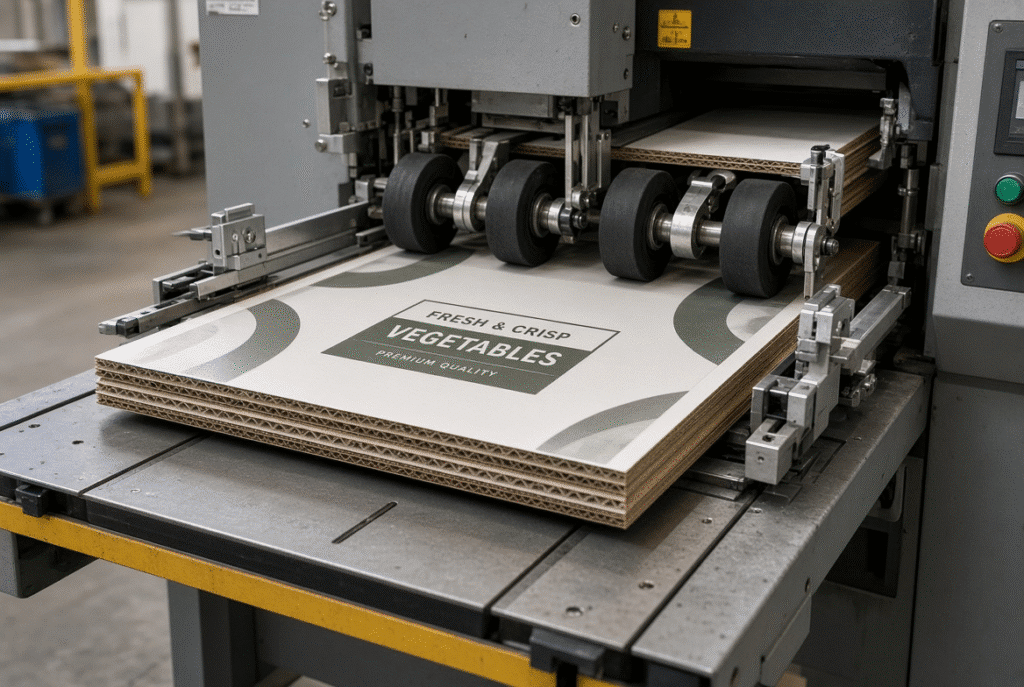
Maintain Print-to-Die Registration
Print-to-die registration is the registration between the printed artwork and the cutting/creasing layout. Depending on the accuracy of the print, the position to laminate, the size of the sheet, the condition of the board, the feeding uniformity, the gauge setting, the machine timing, and the alignment of the dies. It never has to do with just feeding.
Control the Lead Edge Before Positioning
The lead edge must have a consistent delivery from the straight lead. Windows, handles, slots, printed borders, or crease lines can move in relation to the artwork because of curled edges, feed-wheel contact problems, lack of support, and timing problems.
Adjust Front and Side Gauges
Side and front gauges are used to set the reference position of the sheet. Verify gauge pressure, parallelism and sheet-edge condition, then make adjustments for the actual sheet format. Test with multiple sheets, not one sample!
Check Sheet Skew
The sheet can rotate in the rollers before the die cut due to unbalanced feed-wheel pressure, misalignment of the guides, board warp, edge curl, side-gauge pressure and unsupported boards. Make comparisons between the front edge, side edge, printed marks and finished blank on several pieces.
Distinguish Feeding Error from Printing or Lamination Error
Check the design on the print against the alignment of the sheet edges, the position of the lamination, the registration marks and die-cut characteristics. If the face sheet shifts or if the print position fluctuates, this can be only partially corrected with the aid of feeders or dies.
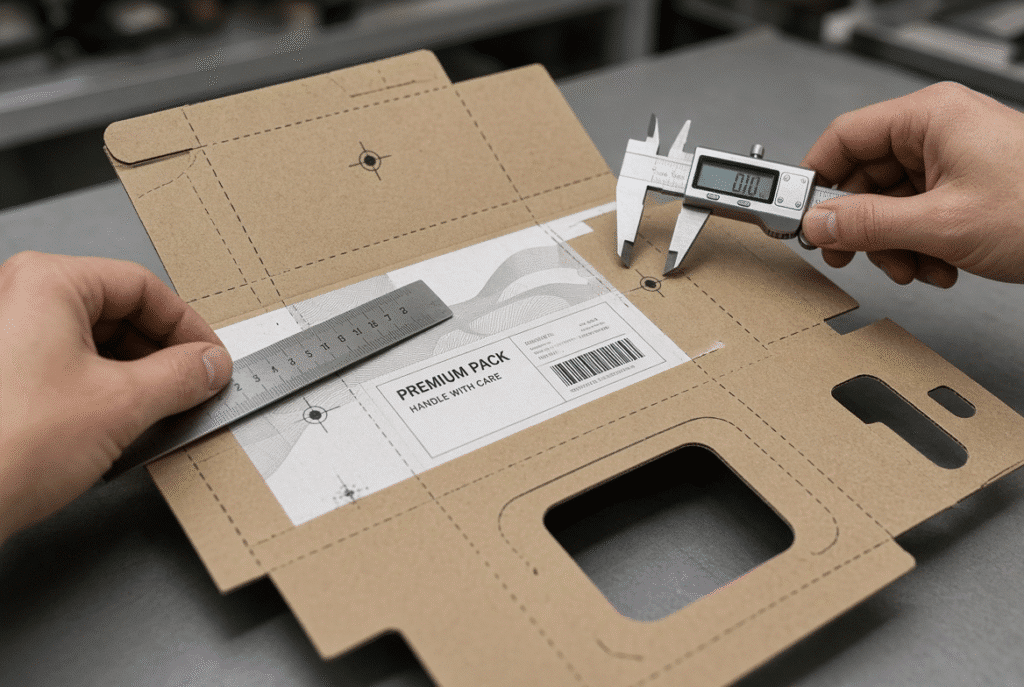
Set Die-Cutting and Creasing Pressure Carefully
The pressure applied during the die cutting process should be sufficient to cut and crease the board without damaging the printed face or crushing the flutes or weakening the finished blank. Pressure affects die condition, rule height, make-ready, counterplate, board thickness, flute type and machine parallelism.
Start with a Controlled Pressure Setting
Start at manufacturer’s recommendations and slowly increase pressure. The trial should verify that complete cuts, clean creases, good waste separation, no unnecessary crushing of flutes, no visible deformation of the face-sheet and stable folding performance are characteristics of the trial.
Signs of Excessive Pressure
Too much pressure is indicated by surface dents, pressure lines, flattened flutes, crushed creases, loss of board stiffness, difficult folding, excessive machine load and/or face-sheet deformation. Unless a problem is detected, it may be a die, make-ready or board-thickness issue.
Signs of Insufficient Pressure
Cuts that have been made but not finished or corners that have not been cut or creases that have broken or uneven pressure over the work area and poor waste removal indicate lack of pressure. Always first check the pressure distribution and die before adjusting the machine pressure.
Die Condition and Make-Ready
Defects are caused by worn cutting rules, damaged creasing rules, the wrong rule height, loose components, uneven make-ready, and an incorrect die orientation. Check entire die design, both center and edges of big sheets.
Common Defects When Die Cutting Laminated Corrugated Board
Multiple causes can result in one defect. This table is for guidance only and should not be used as a substitute for a machine-specific inspection.
| Visible Defect | Likely Causes | First Checks |
| Scratches, scuffs, pressure marks | Dirty or worn feed wheels, rough guides, contaminated belts, excessive contact pressure, sheet-to-sheet rubbing, delivery components | Locate where the mark first appears and inspect the corresponding contact point |
| Print-to-die misregistration | Sheet skew, board warp, gauge error, lamination movement, print variation, sheet-size variation, timing, die alignment | Distinguish consistent offset from random variation; compare printed marks with sheet edges and die features |
| Face-sheet lifting / lamination failure | Weak bond, edge damage, curl, excessive pressure, unsuitable handling | Inspect bond quality before increasing die pressure |
| Crushed flutes / damaged creases | Overpressure, incorrect make-ready, unsuitable rules, thickness variation, poor parallelism | Check rule condition, make-ready, and pressure distribution |
| Incomplete cuts / poor waste removal | Insufficient pressure, worn rules, uneven pressure, unsuitable die setup, board structure | Inspect die and pressure balance before raising pressure |
| Curl / delivery-stack damage | Lamination tension, moisture variation, pressure imbalance, drop height, blower settings, side-jogger pressure, sheet rubbing | Review delivery settings and stack condition |
Scratches, Scuffs and Pressure Marks
Determine the first occurrence of the mark and look for the machine contact point on the mark. Clean or replace and re-test with controlled samples.
Print-to-Die Misregistration
If an offset is constant it may indicate alignment issues with gauges or dies. When there is random variation, it is likely to be due to board warp, lamination movement or feeding instability.
Face-Sheet Lifting and Lamination Failure
Equally, if there is over-pressure or the wrong make-ready, the packages do not have the necessary strength and folding capability. Fix the cause rather than the symptom, which is higher pressure.
Crushed Flutes and Damaged Creases
Over-pressure or incorrect make-ready reduces package strength and folding performance. Correct the root cause rather than compensating with higher pressure.
Incomplete Cuts and Poor Waste Removal
Incomplete cuts mean more manual labor and a slower line. Check the pressure and condition of the dies first.
Curl and Delivery-Stack Damage
The quality of delivery will influence downstream folding, gluing and final assembly. Make drop height, air and joggers adjustments after checking that the sheet is removed properly from the die section.
Practical Setup Procedure for Laminated Corrugated Board
Before accepting any job, go through a careful series. Write down each of the significant changes and their implications.
Prepare the Material and Stack
Check face sheet, bonding of lamination, flatness, edges, dimensions and alignment of stack. Scrap off very damaged sheets. The material preparation is done prior to feeder or pressure adjustment.
Clean and Inspect the Machine
Wash feed wheels, brushes, belts, guides, support tables, sensors, gauges, die surface, make ready and delivery parts. Clean out paper dust, ink dust, glue and worn parts.
Set Feeder and Positioning Components
Verify the orientation, cutting and creasing rules, make-ready and counterplate. Begin on a conservative pressure and test the center and edge areas of the sheet.
Set the Die and Pressure
Confirm die orientation, cutting and creasing rules, make-ready, and counterplate. Start at a conservative pressure and test both center and edge areas of the sheet.
Run a Controlled Trial
Operate at a moderate speed with a small batch. Check surface quality, registration, cuts, creases, fluting, curling, waste separation and delivery stacking. Adjust speed up when there is a proven stable performance.
Monitor Surface and Registration Quality During Production
Only the first approved sheet doesn’t count. Later in the run, defects are introduced by material variation, dust, adhesive buildup, wheel wear, machine heating and machine movement.
Inspect the Printed Face at Intervals
Inspect face sheet, feed-wheel contact areas, lead edge, side edges, die-cut areas and delivered stack at regular intervals. If marks are repeated in one place it is likely that it is a point of fixed contact. Random marks are more likely to indicate debris, or unstable sheets, rubbing against sheet.
Check Registration and Finished Features
Observe the registration marks, windows, handles, slots, creasing lines, cutting edges and margins. Don’t approve just the first sample but compare samples over time.
Monitor Cutting, Creasing and Folding
Review fullness of cuts and quality of creases together. A sheet can sometimes fold well but still cut poorly due to a poorly-folded crease or a crease that is either not deep enough or too deep. Provide a practical folding or assembly verification, if applicable.
Know When to Slow Down or Stop
The following are some warning symptoms: more surface marks, registration movement, lifting on the face-sheet, flutes crushed, repeated jamming, missing cuts, poor delivery stacking, inadequate crease, curl, or an unusual sound from the machine. If it is stopped early, a large batch of defective packaging will be avoided.
Testing and Selecting a Flatbed Die Cutter for Laminated Board
The choice of a machine is not enough to be made based on the nominal value (in terms of pressure or speed). Communicate the real materials and job description in terms of machine requirements.
Prepare a Complete Material and Job Profile
Record the minimum and maximum size of sheet, board thickness, flute type, whether single or double wall construction, face sheet material, lamination method, surface finish, typical warp, die/creasing requirements, required registration target, production speed, and the number of sheets produced per day.
Request a Test with Representative Samples
Utilize real or representative laminate boards, printable surfaces, sheet sizes, and common warps and/or the real or similar die. Look at feeding, surface protection, print to die registration, cutting, creasing, removing waste, curl, delivery stacking, stable print speed and operator intervention.
Questions to Ask Machine Suppliers
- What grades of laminated boards have been tested?
- Which parts of the print come in contact with the printed face?
- How do you get the surface marks to be as low as possible?
- Which board sizes and types of flutes will be used?
- What does the feeder do if there is a moderate warp?
- What is the control of front and side positions?
- How does pressure and make-up adjustments are available?
- At what speed was it tested?
- Installations and operator training included?
- What spare parts and technical support available?
Reference the DAIS D1060Y Naturally
The D1060Y lead edge flatbed die cutting machine is considered when manufacturers are considering sheet-fed equipment for paperboard and corrugated board. The final suitability of any particular laminated board requires representative material testing and examination of the final machine configuration.
Frequently Asked Questions About Laminated Corrugated Board Die Cutting
Can laminated corrugated board be die cut without scratches?
Wear and tear may be minimised by ensuring contact components are kept clean, appropriate materials are used, the correct pressure is applied and that the sheet is supported during the machine and that handling through the machine is controlled. There is no general claim that will produce a totally free-mark result on all laminate and board grades.
What causes print-to-die misregistration?
Common causes include skew in the sheet, warping of the board, set up in the print gages, lamination motion, printing variation, size differences in the sheets, machine timing, and die alignment. Random variation and offset are indicators of different causes.
How can I protect printed surfaces during die cutting?
Clean feed wheels, feed belts, feed guides and feed surface. Ensure proper press contact and alignment. Conduct controlled trials and monitor throughout the production process. Distinguish between pre-existing and machine made marks.
What causes crushed flutes?
If the die pressure is too high, the wrong make-ready setup, improper cutting or creasing instructions, board thickness variation, or machine non-parallelism can result in crushing of flutes and poor package strength.
Should I adjust the feeder or the die first?
Look at first for feeding and sheet positioning. When the sheet is not coming square and steady, die adjusting could just be masking the issue.
Does lamination affect die-cutting registration?
Yes. The relationship of the printed artwork to the die can be altered by movement on the face-sheet, adhesive tension, curl and dimensional variation.
Can a lead edge feeder handle laminated corrugated board?
Can be appropriate if the feeder, support path, positioning system and general machine configuration are appropriate to the material. Always test samples in production conditions.
What should I provide when requesting a machine test?
Supply laminated board samples/sheet, flute type, thickness, surface finish, typical warps, print layout, die requirements, registration expectations, and target speed.
Summary Guidance – Protect the Surface and Control the Complete Process
The ability to produce successful die cutting laminated corrugated board is a product of the system. It is dependent on the bonding of the material, contact between the feeder, positioning of the sheet, set up of the die, pressure, and delivery.
The key practices continue to be:
- Check face and lamination bond.
- Inspect the flatness, size and edge condition of the board.
- Maintain all sheets on the path clean.
- Control for feeder and guide pressure.
- Check front and side position.
- Gradually set die pressure.
- Check the die and make-ready.
- Check surface and registration during the run.
- Take a representative sample test before going into full production.
- Slow down or stop when defects begin to increase.
When considering equipment or process parameters for laminated corrugated board, present your actual board specimen, sheet format, flute and die requirements. The best way to guarantee that surface protection and registration has been achieved under actual production conditions is to perform a practical test.